How to Get Notified When a Company Posts on LinkedIn
Get each new post from a LinkedIn company page by push, email or Slack, filtered to launches or pricing news. No follow, no LinkedIn login.
By AyeWatch Team3 min read
Short answer: following a company on LinkedIn mixes its posts into your feed, where most of them never reach you. An AyeWatch LinkedIn Company posts monitor reads the company page on each check and alerts you to its new posts. You don't follow the page, and you can filter to launches or pricing news. It's 2 credits a check.
Set it up
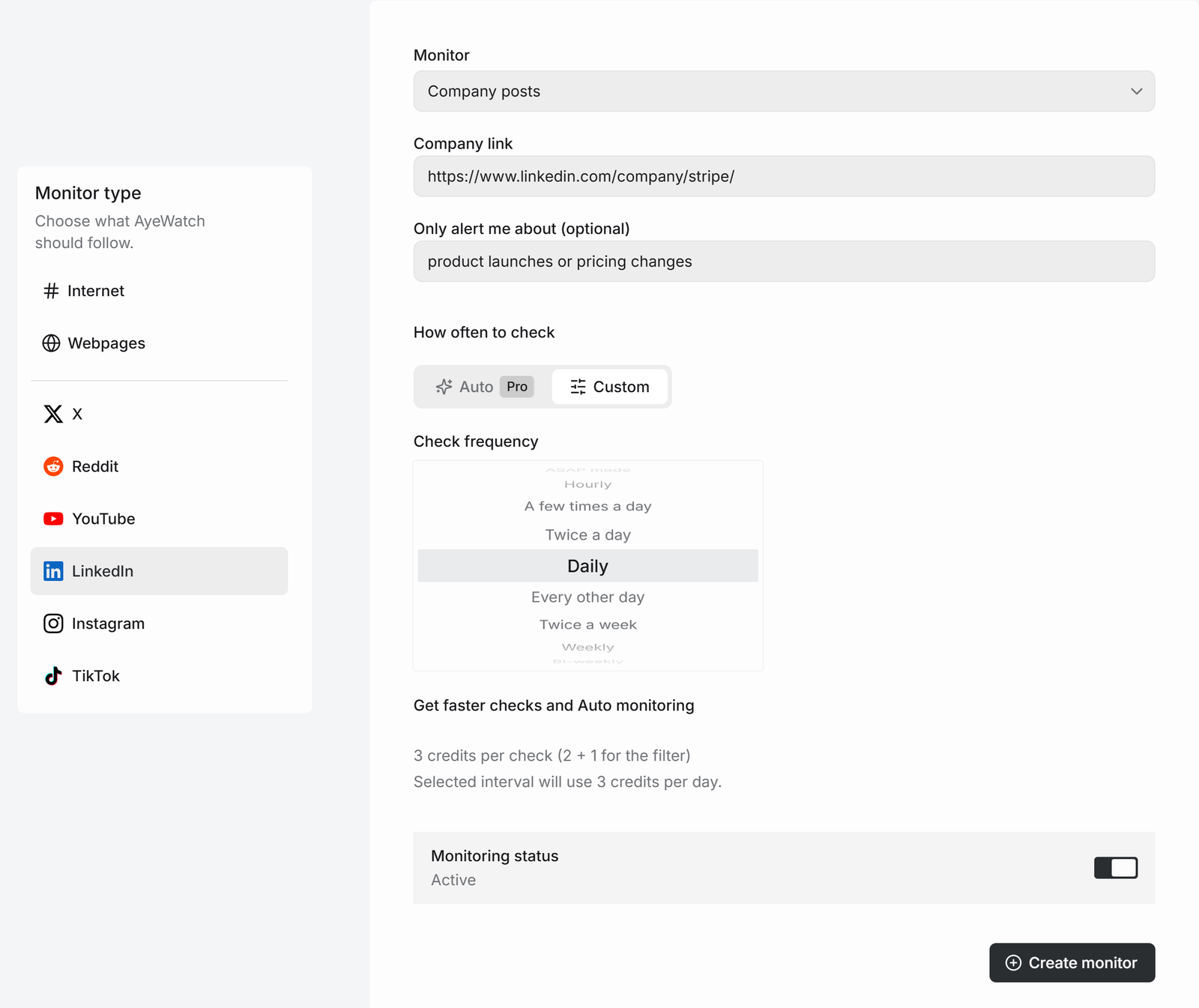
- Open Create a monitor → LinkedIn and choose Company posts.
- Paste the company page link, like
https://www.linkedin.com/company/brightpath-crm/. - Optional: add Only alert me about, like "product launches or pricing changes". It adds 1 credit a check.
- Pick a schedule and click Create monitor.
What to use it for
- Competitors: launches, pricing changes and new markets.
- Customers and prospects: news you can mention in your next email.
- Companies you'd like to work for: hiring posts and team news.
What you get
The first check sends up to 5 of the latest posts, or only the ones that match your filter, so you can see what the monitor finds without a flood of old ones. After that, every check that finds something new sends one alert. The headline is the post itself, or "3 new from …" when several land at once, with a link to each post and its text.
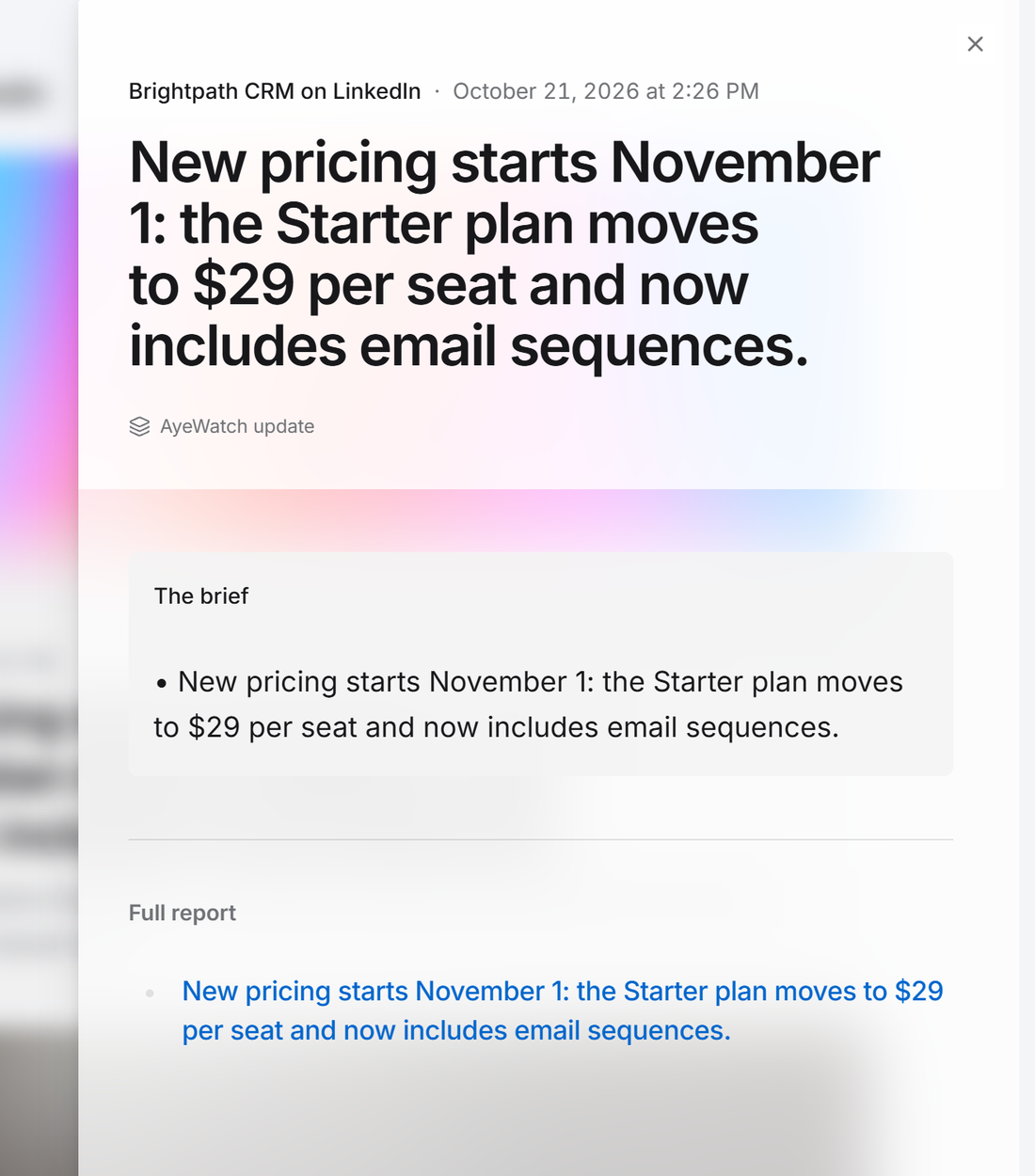
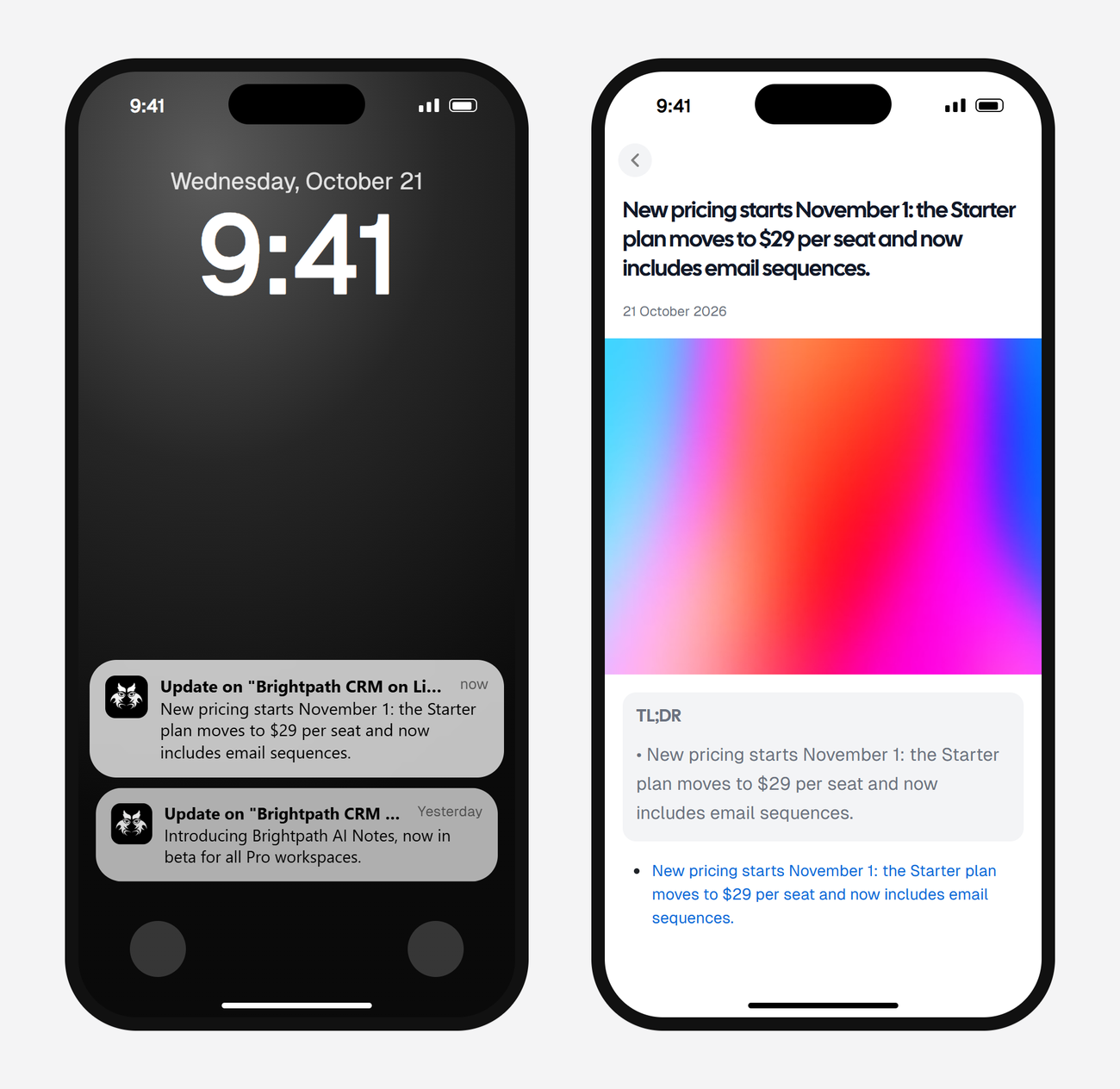
Alerts land in your feed and as push in the AyeWatch iOS and Android app. On Pro and Pro+ you can also turn on email, Slack, or a webhook.
Get alerts from a LinkedIn company page
Free Preview includes 3 credits to try it. No card.
Set it up nowWhat it costs
A company page check is 2 credits, 3 with the filter.
| Check every | Credits a day | Plan that fits |
|---|---|---|
| Daily | 2 | Free Preview to try it, then Pro |
| Twice a day | 4 | Pro |
| A few times a day | 8 | Pro |
Plans: Free Preview gives you 3 credits to try a monitor on a daily check. Pro is $9 a month for 500 credits and checks as often as hourly. Pro+ is $19 a month for 1,500 credits and adds ASAP mode. Failed checks are refunded, and the form shows the exact daily credit use before you save.
Limits
- Company pages only. For one person's posts, use Person posts.
- Comments, reactions and follower counts aren't read.
- Job listings are a separate mode. See LinkedIn job alerts.
FAQ
Will the company know I'm monitoring its page?
No. AyeWatch reads the page without your LinkedIn account, so nothing shows up on their side.
Can I monitor several companies?
Yes, one monitor per company page. Pro allows 50 active monitors and Pro+ allows 200.
Can I get company posts by email or Slack?
Yes, on Pro and Pro+. Free Preview sends alerts to your feed and the AyeWatch app.