7 Best LinkedIn Job Alerts Alternatives in 2026
The 7 best LinkedIn Job Alerts alternatives in 2026: AyeWatch, Google Jobs, HiringCafe, Indeed and more, compared on speed, coverage and price.
By AyeWatch Team9 min read

LinkedIn job alerts are free, but they often arrive as daily or weekly digests, land in Promotions, or match loosely enough that the roles you want are buried. People look for an alternative when they keep finding good roles a day late, after the first wave of applicants.
There is also a coverage gap: many companies post on their own careers site before the job reaches LinkedIn, or never post there at all. Here are seven options and what each one is best at.
Quick comparison: best LinkedIn Job Alerts alternatives
| Product | Best for | Starting price | Key difference | Review |
|---|---|---|---|---|
| AyeWatch | Fast alerts on LinkedIn jobs and careers pages | Free Preview, then $9/mo | Each new match, plus careers pages | Read |
| Google Jobs | One free alert spanning many job boards | Free | One alert across many job boards | Read |
| HiringCafe | Filter-heavy search across company career pages | Free | Free, filter-heavy career page search | Read |
| Indeed | Broad, high-volume job searches | Free | Largest general listing base | Read |
| Welcome to the Jungle | Tech, product and design roles at funded startups | Free | Curated tech roles with salary shown | Read |
| Wellfound | Startup jobs with salary and equity shown | Free | Startup roles, direct founder contact | Read |
| ZipRecruiter | Free alerts and quick applications in the US | Free | Fast applications on a big US board | Read |
Starting prices are the lowest paid plan listed on each vendor's site, checked October 2026.
Best overall alternative
1. AyeWatch
AyeWatch is an AI internet monitor. A LinkedIn Jobs monitor takes a job title and an optional location and sends new matching listings as alerts on your schedule. Add Webpages monitors on the careers pages of companies you would join, and describe the role you want in plain English.
Best for: Fast alerts on LinkedIn jobs and careers pages.
- LinkedIn Jobs monitors. A job title plus a location, like "Product designer" and "Remote".
- Careers pages too. Paste a Greenhouse, Lever, Ashby or company jobs page and get told when a matching role appears.
- Plain-English filters. "Skip agency and contract roles" or "senior level only".
- Push on iOS and Android, plus email, Slack and Discord on paid plans.
Pricing: Free Preview with no card. Pro is $9/mo with hourly monitoring. Pro+ is $19/mo and unlocks ASAP mode.
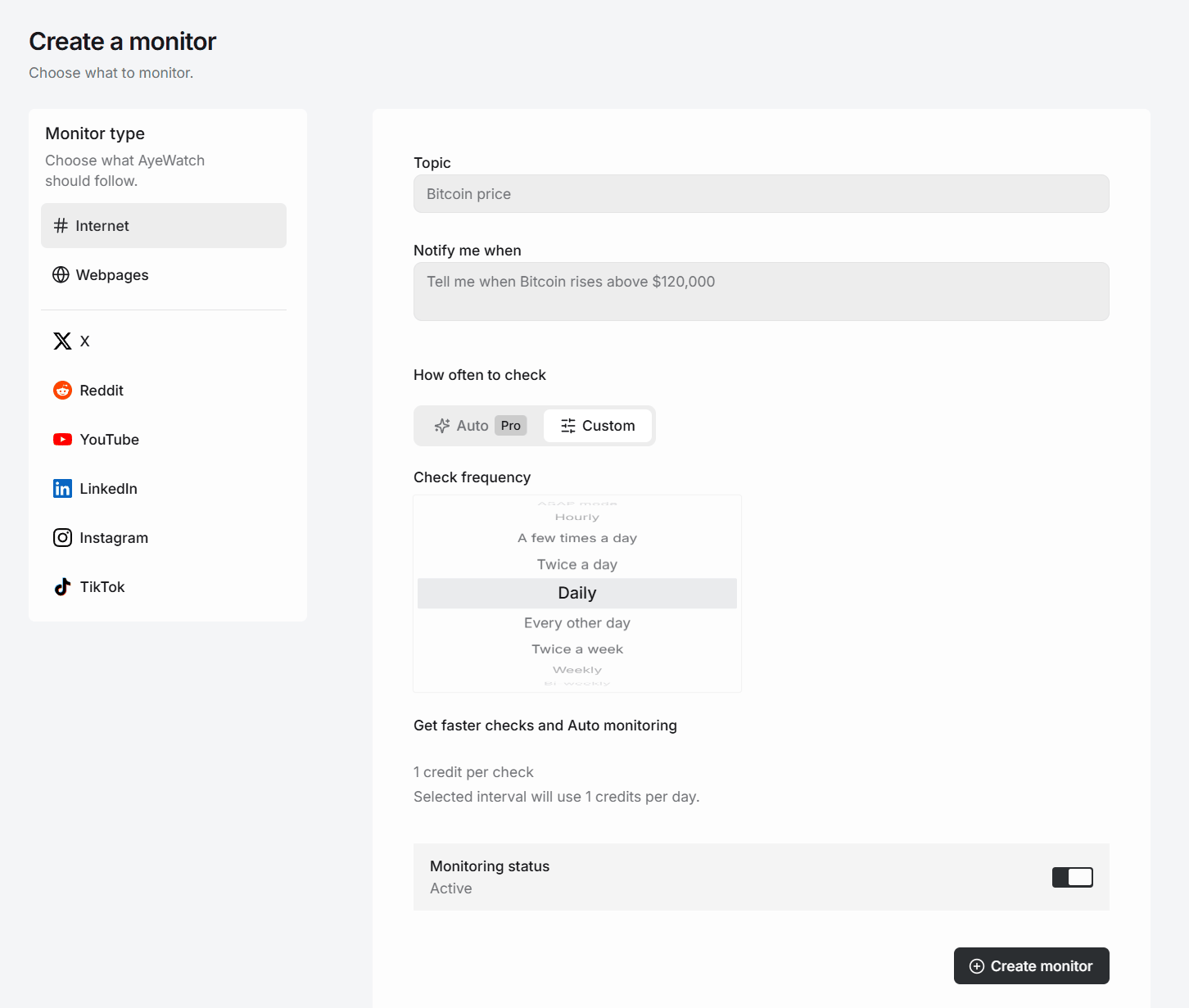
Try AyeWatch as your LinkedIn Job Alerts alternative
Describe a topic, paste a URL or monitor social media. Free Preview, no card.
Start free →Why teams choose AyeWatch
- One alert per check, not a weekly digest. New matches since the last check arrive together, with a link to each listing.
- No LinkedIn login. AyeWatch reads public job listings and never signs in as you.
- Covers jobs LinkedIn never gets. Careers page monitors catch roles a company posts only on its own site.
Monitor: "LinkedIn Jobs: Product designer, Remote"
Rule: "Only full-time roles at product companies. Skip agencies, contract roles and internships."
AyeWatch vs LinkedIn Job Alerts
| Feature | AyeWatch | LinkedIn Job Alerts |
|---|---|---|
| Starting price | Free Preview, then $9/mo | Free alerts; Premium Career $39.99/mo |
| How alerts arrive | One alert per check with new matches | Daily or weekly email, or app push |
| Filtering | Plain-English rule on top of title and location | LinkedIn's search filters |
| Company careers pages | Yes, as Webpages monitors | No, LinkedIn listings only |
| Apply from the alert | No, it opens the listing | Yes, with Easy Apply |
| Network and recruiter features | No | Yes |
When LinkedIn Job Alerts is still the better pick: If your target employers recruit mainly through LinkedIn and the daily digest is fast enough for you, LinkedIn's free alerts plus Easy Apply are hard to beat. AyeWatch does not apply for you, show your network or replace your profile. It tells you a job is up.
Best free alternative
2. Google Jobs
Google Search shows a jobs panel that pulls listings from many boards and company sites, and can email you new matches for a search.
Best for: One free alert spanning many job boards.
Strengths
- Aggregates many job sites
- Free with a Google account
- Clean location, type and date filters
Weaknesses
- Few controls beyond basic filters
- Only sees jobs employers mark up for Google
- Email only
Pricing: Free (Free).
Pick it if you want one free alert that spans many job boards.
Best for career-page search
3. HiringCafe
HiringCafe is a free job search engine that crawls company career pages directly and offers detailed filters, saved searches and email alerts.
Best for: Filter-heavy search across company career pages.
Strengths
- Free, no paid candidate tier
- Deep structured filters
- Pulls from employer career pages
Weaknesses
- Email digests only
- Crawls on a schedule, so new roles can lag
- Account needed for alerts
Pricing: Free (Free for job seekers).
Pick it if you want free, filter-heavy search across career pages.
4. Indeed
Indeed lets job seekers save any search and get email or app alerts daily or weekly. There is no paid tier for candidates.
Best for: Broad, high-volume job searches.
Strengths
- Free, no card
- Very large aggregated listing base
- Simple email and app alerts
Weaknesses
- Duplicate and stale listings
- Alerts arrive as digests, not instantly
- Only covers jobs Indeed indexes
Pricing: Free (Free for job seekers).
Pick it if you want free, broad coverage of general job listings.
Best for startup tech roles
5. Welcome to the Jungle
Welcome to the Jungle, which absorbed Otta, matches candidates with roles and notifies you when companies you follow post new jobs.
Best for: Tech, product and design roles at funded startups.
Strengths
- Free for candidates
- Salary shown on most listings
- Personalized recommendations
Weaknesses
- Thin catalogue outside tech
- Focus has shifted toward Europe
- Some confusion after the Otta rebrand
Pricing: Free (Free for job seekers).
Pick it if you want curated tech and startup roles with salary shown.
6. Wellfound
Wellfound, formerly AngelList Talent, is a startup job marketplace where candidates apply directly to founders and hiring teams. Employers pay; candidates do not.
Best for: Startup jobs with salary and equity shown.
Strengths
- Free for candidates
- Salary and equity ranges on listings
- Direct contact with founders
Weaknesses
- Stale postings and slow replies are common complaints
- Mostly startup and tech roles
- Limited alert controls
Pricing: Free (Free for job seekers).
Pick it if you want startup roles and direct founder access.
7. ZipRecruiter
ZipRecruiter is free for job seekers, with email job alerts, a mobile app and one-click applications. Employers pay per job slot.
Best for: Free alerts and quick applications in the US.
Strengths
- Free for job seekers
- Email alerts and mobile app
- Fast applications
Weaknesses
- Aggregated listings can repeat
- Matching emails can get noisy
- Smaller reach outside the US
Pricing: Free (Free for job seekers).
Pick it if you want free alerts and fast applications on a major US board.
FAQ
What is the best LinkedIn Job Alerts alternative?
For fast alerts on new LinkedIn jobs plus company careers pages, AyeWatch. For one free alert that spans many job boards, Google Jobs. For free, filter-heavy search across career pages, HiringCafe.
Is there a free LinkedIn Job Alerts alternative?
Yes. Google Jobs, HiringCafe, Indeed and Welcome to the Jungle are free for job seekers. AyeWatch has a Free Preview with no card.
Why are my LinkedIn job alerts not working?
Check the alert's frequency, LinkedIn's email settings, and your Promotions and spam folders. If they still arrive late, a monitor that checks on your own schedule sends new matches as they appear.
Do I need to connect my LinkedIn account to AyeWatch?
No. AyeWatch reads public job listings. It never logs in as you.
Which tool is right for you?
- You want new LinkedIn jobs and careers-page roles as they appear: AyeWatch.
- You want one free alert across many job boards: Google Jobs.
- You want deep filters across company career pages: HiringCafe.
- You want the widest general listing base: Indeed.
- You want startup or tech roles with salary shown: Welcome to the Jungle.
- Your target employers recruit mainly on LinkedIn: LinkedIn Job Alerts.
Monitor what matters without the noise
Set up your first monitor in under a minute. Free Preview, no card.
Get started today →