7 Best Visualping Alternatives in 2026
The 7 best Visualping alternatives in 2026, compared on price, alert noise and coverage. AyeWatch, Distill, changedetection.io, ChangeTower and more.
By AyeWatch Team9 min read
Visualping is a polished way to hear when a page looks different. Teams look for a Visualping alternative when check-based pricing climbs with every extra page or faster schedule, or when rotating banners and ads keep tripping visual alerts.
Here are seven tools that take a different approach, and the cases where Visualping is still the right call.
Quick comparison: best Visualping alternatives
| Product | Best for | Starting price | Key difference | Review |
|---|---|---|---|---|
| AyeWatch | Meaningful page changes without pixel noise | Free Preview, then $9/mo | Judges changes by meaning, not pixels | Read |
| Distill | Element-level checks run from your browser | $15/mo | Element conditions, 25 free monitors | Read |
| changedetection.io | Self-hosters who want open-source control | $8.99/mo hosted | Self-host free, or cheap hosted | Read |
| ChangeTower | Archives and review workflows for compliance | $12/mo ($10/mo billed annually) | Archives and team review of changes | Read |
| Sken.io | Cheap, frequent visual or text checks | €3/mo | Very cheap, very frequent checks | Read |
| PageCrawl.io | High check volumes at a modest price | $13.33/mo (billed annually) | High check limits for the price | Read |
| Fluxguard | Enterprises monitoring complex or logged-in sites | $110/mo | Handles logins and form flows | Read |
Starting prices are the lowest paid plan listed on each vendor's site, checked October 2026.
Best overall alternative
1. AyeWatch
AyeWatch is an AI internet monitor. Paste one or more URLs, write in plain English what counts as a change, and it alerts you with a short summary only when that kind of change happens. It also covers topics across the web, not only the pages you add.
Best for: Meaningful page changes without pixel noise.
- Rules instead of crop boxes. "Tell me when plan names, prices or limits change. Ignore banners and testimonials."
- Several URLs, one rule. Group a competitor's pricing, changelog and careers pages in a single monitor.
- Topics as well as pages. Add an Internet monitor for news about the same competitor, so off-site announcements reach you too.
- Push on iOS and Android, plus email, Slack, Discord and webhooks.
Pricing: Free Preview with no card. Pro is $9/mo with hourly monitoring. Pro+ is $19/mo and unlocks ASAP mode.
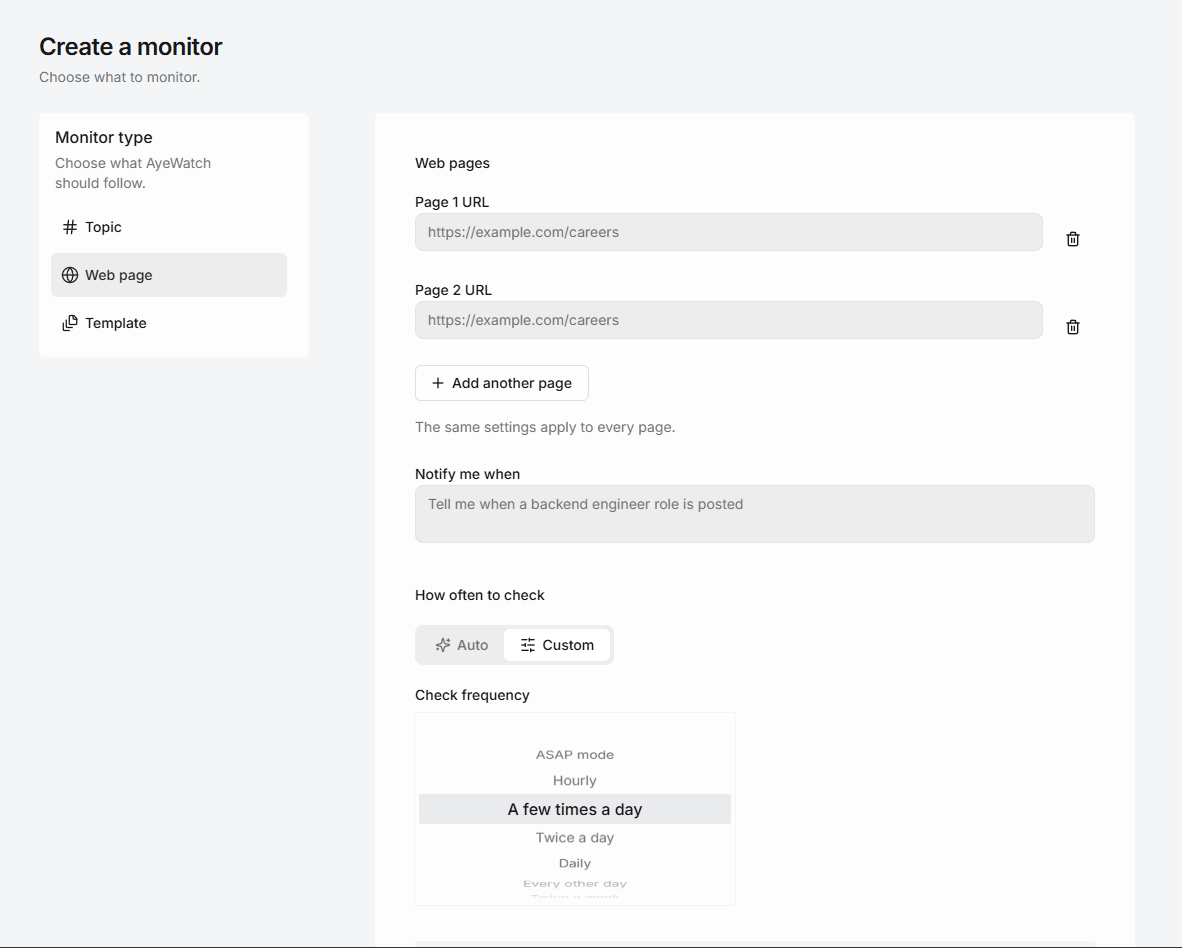
Try AyeWatch as your Visualping alternative
Describe a topic, paste a URL or monitor social media. Free Preview, no card.
Start free →Why teams choose AyeWatch
- No pixel diffs to read. AyeWatch compares meaning, so a new hero image or a cookie bar is not reported unless your rule asks for it.
- Flat plans, not check budgets. Pro is $9/mo for up to 50 monitors with hourly monitoring. Pro+ is $19/mo for up to 200 monitors with ASAP mode.
- Slack on the entry paid plan. Slack delivery comes with Pro, with no Business tier needed.
Monitor: "Competitor plans page at https://example.com/pricing"
Rule: "Alert me when a plan is added or removed, or a price or usage limit changes. Ignore design changes and promotional banners."
AyeWatch vs Visualping
| Feature | AyeWatch | Visualping |
|---|---|---|
| Starting price | Free Preview, then $9/mo | $14/mo ($10/mo billed annually) |
| How changes are judged | Semantic AI against your rule | Visual, text or element comparison |
| Visual before-and-after | No | Yes |
| Change summaries | Yes, on every alert | Yes, AI summaries |
| Topics across the web | Yes | No |
| Slack delivery | Pro, $9/mo | Business plans |
When Visualping is still the better pick: If you need to see exactly what moved on the page, such as checking your own site's layout after a release, Visualping's visual diffs show that and AyeWatch does not. Its free plan with AI summaries is also a solid start for a handful of pages.
Full feature table: AyeWatch vs Visualping.
Best free alternative
2. Distill
Distill monitors pages from a browser extension or its cloud, with condition-based alerts on the page elements you select.
Best for: Element-level checks run from your browser.
Strengths
- Generous free plan
- Fine-grained element selection and conditions
- Local checks are free
Weaknesses
- Local monitors need your browser open
- Free cloud checks run every 6 hours
- Setup is more technical than most
Pricing: $15/mo (Free plan (25 monitors)).
Pick it if you want element-level conditions and cheap local checks.
Best open-source option
3. changedetection.io
changedetection.io is an open-source page change detector you can host yourself, or rent hosted with a real Chrome browser. It supports CSS and XPath targeting and browser steps for logins.
Best for: Self-hosters who want open-source control.
Strengths
- Free and open source to self-host
- Browser steps for logins and clicks
- 85+ notification channels
Weaknesses
- Self-hosting means you maintain it
- Text and selector rules, not meaning
- Utilitarian interface
Pricing: $8.99/mo hosted (Free to self-host).
Pick it if you want full control, or a cheap hosted option.
Best for compliance teams
4. ChangeTower
ChangeTower monitors pages with plain-language change rules, AI summaries, archived snapshots and team dashboards, with alerts by email, Slack, Teams or webhooks.
Best for: Archives and review workflows for compliance.
Strengths
- Archived snapshots and history
- Review workflows and team dashboards
- Plain-language change rules
Weaknesses
- Entry plan checks daily
- Free plan is three pages
- Pages only, no topic coverage
Pricing: $12/mo ($10/mo billed annually) (Free plan (3 pages)).
Pick it if you need an audit trail and team review of changes.
5. Sken.io
Sken.io captures a page on a schedule and compares it with the last capture, visually or by text, with alerts by email, Android app, Slack, Discord and webhooks.
Best for: Cheap, frequent visual or text checks.
Strengths
- Very low entry price
- Checks as often as every minute
- Element removal hides cookie banners and ads
Weaknesses
- No permanent free plan
- Small check allowance on the lowest tier
- Pixel diffs still need interpreting
Pricing: €3/mo (14-day free trial).
Pick it if you want cheap, frequent checks on a handful of pages.
6. PageCrawl.io
PageCrawl.io monitors pages for text, visual and price changes, with high monthly check limits on its paid plans.
Best for: High check volumes at a modest price.
Strengths
- High check limits for the price
- Free-forever plan
- Long change history
Weaknesses
- No JavaScript rendering on the free plan
- No refunds
- Rules are selector and text based
Pricing: $13.33/mo (billed annually) (Free plan (6 pages)).
Pick it if you need many pages checked often on a modest budget.
7. Fluxguard
Fluxguard monitors sites for visual, HTML and text changes, including form and login flows, with AI summaries on higher tiers. It is owned by LegitScript.
Best for: Enterprises monitoring complex or logged-in sites.
Strengths
- Handles logins and form submissions
- AI summaries and filtering on higher tiers
- Compliance-grade change archive
Weaknesses
- Expensive entry tier
- Credit-based usage is hard to predict
- Webhooks only on the top plan
Pricing: $110/mo (Free plan (3 sites)).
Pick it if you need enterprise-grade monitoring of authenticated or complex sites.
FAQ
What is the best Visualping alternative?
For alerts only when a meaningful change happens, AyeWatch. For element-level conditions and a large free plan, Distill. For a free self-hosted option, changedetection.io.
Is there a free Visualping alternative?
Yes. Distill's free plan covers 25 monitors, changedetection.io is free to self-host, and AyeWatch has a Free Preview with no card. Visualping's own free plan covers five pages.
Does AyeWatch show screenshots of what changed?
No. AyeWatch sends a short written summary of the change. If you need a visual before-and-after, Visualping or Sken.io fit better.
How do I move my Visualping pages to AyeWatch?
Create a webpage monitor, paste the URLs, and write in plain English what should count as a change. There is no import step.
Which tool is right for you?
- You want alerts only when the content that matters changes: AyeWatch.
- You need to see the visual difference on the page: Visualping.
- You want element-level conditions for free: Distill.
- You run your own server: changedetection.io.
- You need an audit trail for compliance: ChangeTower.
- You monitor logged-in or complex enterprise sites: Fluxguard.
Monitor what matters without the noise
Set up your first monitor in under a minute. Free Preview, no card.
Get started today →