7 Best Distill.io Alternatives in 2026
The 7 best Distill.io alternatives in 2026 for monitoring that runs without your browser. AyeWatch, Visualping, changedetection.io, Wachete and more.
By AyeWatch Team9 min read
Distill is precise: pick an element, set a condition, get an alert. People look for a Distill.io alternative when local monitors stop the moment the laptop closes, when free cloud checks every six hours are too slow, or when selectors break after a redesign.
These seven tools cover the same ground in different ways, and for some jobs Distill is still the better pick.
Quick comparison: best Distill.io alternatives
| Product | Best for | Starting price | Key difference | Review |
|---|---|---|---|---|
| AyeWatch | Cloud page, topic and social alerts without selectors | Free Preview, then $9/mo | No selectors, rules written in English | Read |
| Visualping | Simple visual page alerts for non-technical users | $14/mo ($10/mo billed annually) | Point-and-click visual alerts | Read |
| changedetection.io | Self-hosters who want open-source control | $8.99/mo hosted | Self-hosted, CSS and XPath targeting | Read |
| Page Monitor | Free, private checks of one page element | Free | Free, private, one element at a time | Read |
| Wachete | Low-cost monitoring of pages behind logins | About $5/mo | Low-cost, handles login-protected pages | Read |
| Browse AI | No-code data extraction from websites | $19/mo (billed annually) | Extracts structured data, not just alerts | Read |
| OnWebChange | Very cheap tracking of page elements | From €0.89 | Element tracking at very low prices | Read |
Starting prices are the lowest paid plan listed on each vendor's site, checked October 2026.
Best overall alternative
1. AyeWatch
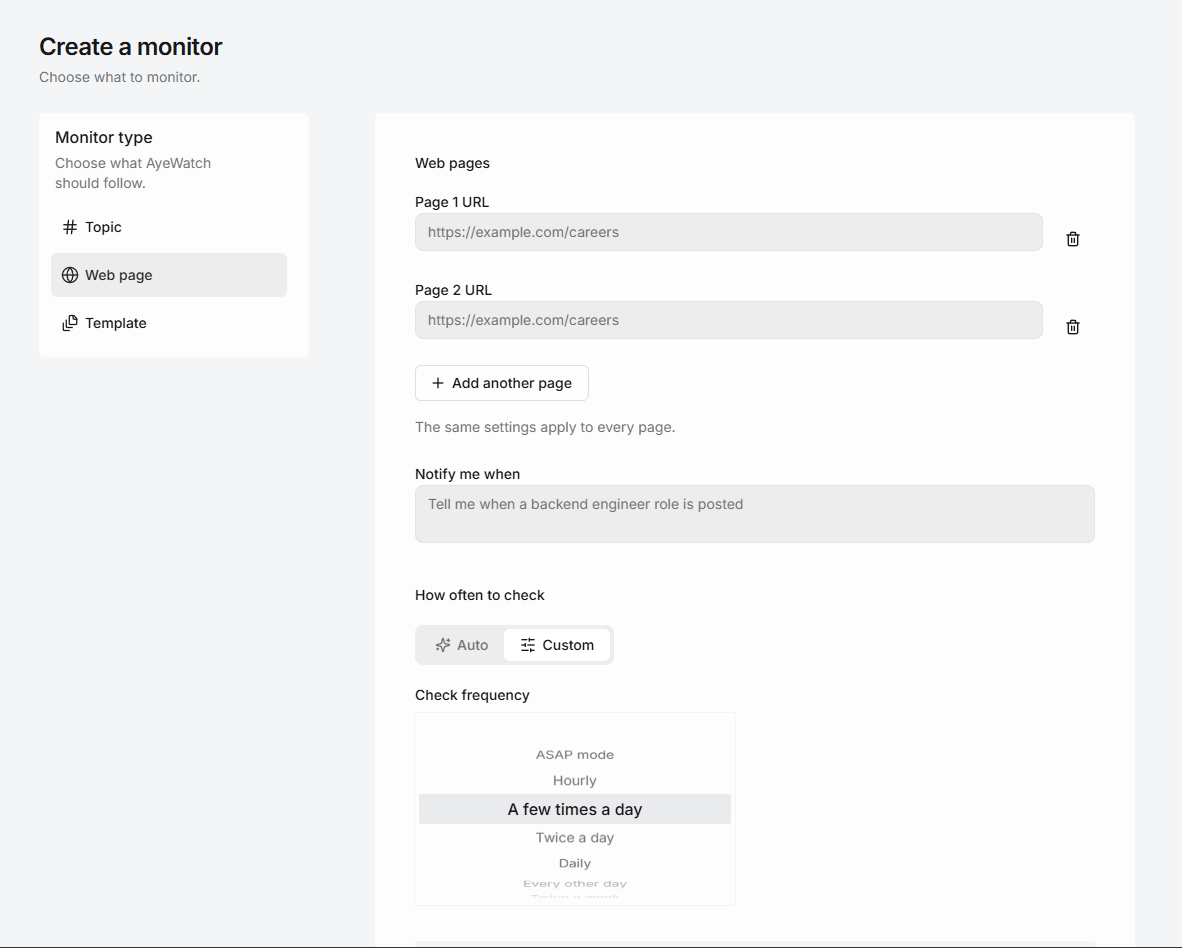
AyeWatch is an AI internet monitor that runs in the cloud. Paste a URL, describe the change you care about in plain English, and it alerts you with a short summary when it happens. There is no extension to install and no browser to keep open.
Best for: Cloud page, topic and social alerts without selectors.
- Nothing runs on your machine. Monitors keep going when your laptop is closed.
- No selectors to maintain. The rule describes the change, so there is no CSS path to fix when the layout moves.
- Topics too. Cover news, Reddit or YouTube about the same product alongside the page.
- Phone alerts through the iOS and Android apps, plus email, Slack, Discord and webhooks.
Pricing: Free Preview with no card. Pro is $9/mo with hourly monitoring. Pro+ is $19/mo and unlocks ASAP mode.
Try AyeWatch as your Distill.io alternative
Describe a topic, paste a URL or monitor social media. Free Preview, no card.
Start free →Why teams choose AyeWatch
- Always on. Checks run on AyeWatch's servers, not in a browser tab.
- Fewer setup steps. You paste a URL and write a sentence instead of picking elements and building conditions.
- Predictable plans. Pro is $9/mo for up to 50 monitors with hourly monitoring. Pro+ is $19/mo for up to 200 monitors with ASAP mode.
Monitor: "Product page at https://example.com/products/headphones"
Rule: "Alert me when this is back in stock or the price drops below $200. Ignore changes to the review count."
AyeWatch vs Distill.io
| Feature | AyeWatch | Distill.io |
|---|---|---|
| Starting price | Free Preview, then $9/mo | $15/mo |
| Where checks run | AyeWatch cloud | Browser extension or Distill cloud |
| How you define a change | A plain-English rule | Selected elements and conditions |
| Element-level precision | No | Yes |
| Topics across the web | Yes | No |
| Free tier | Free Preview, no card | 25 monitors; cloud checks every 6 hours |
When Distill.io is still the better pick: If you need exact element-level conditions, such as one number crossing a threshold, and you are happy running checks from your own browser, Distill is cheaper and more precise. Its free plan is one of the most generous in the category.
Full feature table: AyeWatch vs Distill.io.
Best for non-technical users
2. Visualping
Visualping checks pages on a schedule and alerts you to visual, text or element changes, with AI change summaries.
Best for: Simple visual page alerts for non-technical users.
Strengths
- Free plan includes AI summaries
- Visual, text and element comparison
- Slack, Teams and Sheets integrations
Weaknesses
- Check-based pricing climbs quickly with volume
- Free plan checks hourly at best
- Slack and Teams need Business plans
Pricing: $14/mo ($10/mo billed annually) (Free plan (5 pages)).
Pick it if you want a polished, mainstream tool with visual diffs and a usable free tier.
Best open-source option
3. changedetection.io
changedetection.io is an open-source page change detector you can host yourself, or rent hosted with a real Chrome browser. It supports CSS and XPath targeting and browser steps for logins.
Best for: Self-hosters who want open-source control.
Strengths
- Free and open source to self-host
- Browser steps for logins and clicks
- 85+ notification channels
Weaknesses
- Self-hosting means you maintain it
- Text and selector rules, not meaning
- Utilitarian interface
Pricing: $8.99/mo hosted (Free to self-host).
Pick it if you want full control, or a cheap hosted option.
Best free extension
4. Page Monitor
Page Monitor is a free Chrome extension that lets you pick a page element and notifies you when it changes. Data stays on your device. It shares Distill's main limit: your browser has to stay open.
Best for: Free, private checks of one page element.
Strengths
- Free with no account
- Data stays local
- Pick an element and an interval
Weaknesses
- Browser must stay open
- No email or chat alerts
- Small single-developer project
Pricing: Free (Free).
Pick it if you want a free, private extension for a few pages.
5. Wachete
Wachete monitors whole pages or selected sections and sends email, push or chat alerts, keeping up to 12 months of history.
Best for: Low-cost monitoring of pages behind logins.
Strengths
- Low prices and a free-forever plan
- Handles login-protected and dynamic pages
- Apps and browser extensions
Weaknesses
- Free plan checks once a day
- Keyword and section rules, not meaning
- Dated interface
Pricing: About $5/mo (Free plan).
Pick it if you want an inexpensive page monitor that handles logins.
6. Browse AI
Browse AI lets you train no-code robots that extract structured data from websites and alert you when that data changes.
Best for: No-code data extraction from websites.
Strengths
- No-code robot training
- Structured data, not just diffs
- Exports to Sheets and APIs
Weaknesses
- Credit-based pricing adds up
- Free plan covers two websites
- Built for scraping more than alerting
Pricing: $19/mo (billed annually) (Free plan).
Pick it if you need structured data from sites, not just change alerts.
7. OnWebChange
OnWebChange monitors public pages and alerts you by email, mobile or webhook, with element tracking, keyword filters, PDF monitoring and AI summaries.
Best for: Very cheap tracking of page elements.
Strengths
- Among the lowest prices in the category
- Element tracking and keyword filters
- PDF monitoring
Weaknesses
- Free plan checks daily
- Public pages only
- Plan limits are vaguely described
Pricing: From €0.89 (Free plan).
Pick it if price matters most and your pages are public.
FAQ
What is the best Distill.io alternative?
For cloud monitoring with rules in plain English, AyeWatch. For simple visual alerts, Visualping. For a self-hosted tool with selector targeting, changedetection.io.
Is there a free Distill.io alternative?
Yes. changedetection.io is free to self-host, the Page Monitor extension is free, and AyeWatch has a Free Preview with no card. Distill's own free plan is also generous if you can keep a browser open.
Does AyeWatch need a browser extension?
No. AyeWatch runs in the cloud and alerts you by push, email, Slack, Discord or webhook. There is nothing to install in your browser.
How do I switch from Distill to AyeWatch?
For each Distill monitor, create a webpage monitor with the same URL and write the condition as a sentence, such as "alert me when the price drops below $50". There is no import file.
Which tool is right for you?
- You want monitoring that runs without your browser, with rules in plain English: AyeWatch.
- You need exact element conditions and do not mind a browser open: Distill.
- You want a simple visual tool: Visualping.
- You want to self-host: changedetection.io.
- You need to monitor pages behind a login on a small budget: Wachete.
Monitor what matters without the noise
Set up your first monitor in under a minute. Free Preview, no card.
Get started today →