Twitter (X) Keyword Alerts: Get Notified When a Word Is Tweeted
Get an alert when anyone on X tweets your brand, product, or phrase. Use real X search operators, add an AI filter, and get it by push, email or Slack.
Short answer: X has no keyword alerts, and Google Alerts rarely picks up tweets. Create an X search monitor in AyeWatch: type the same query you would type into X search, and you get an alert when new tweets match.
Set it up
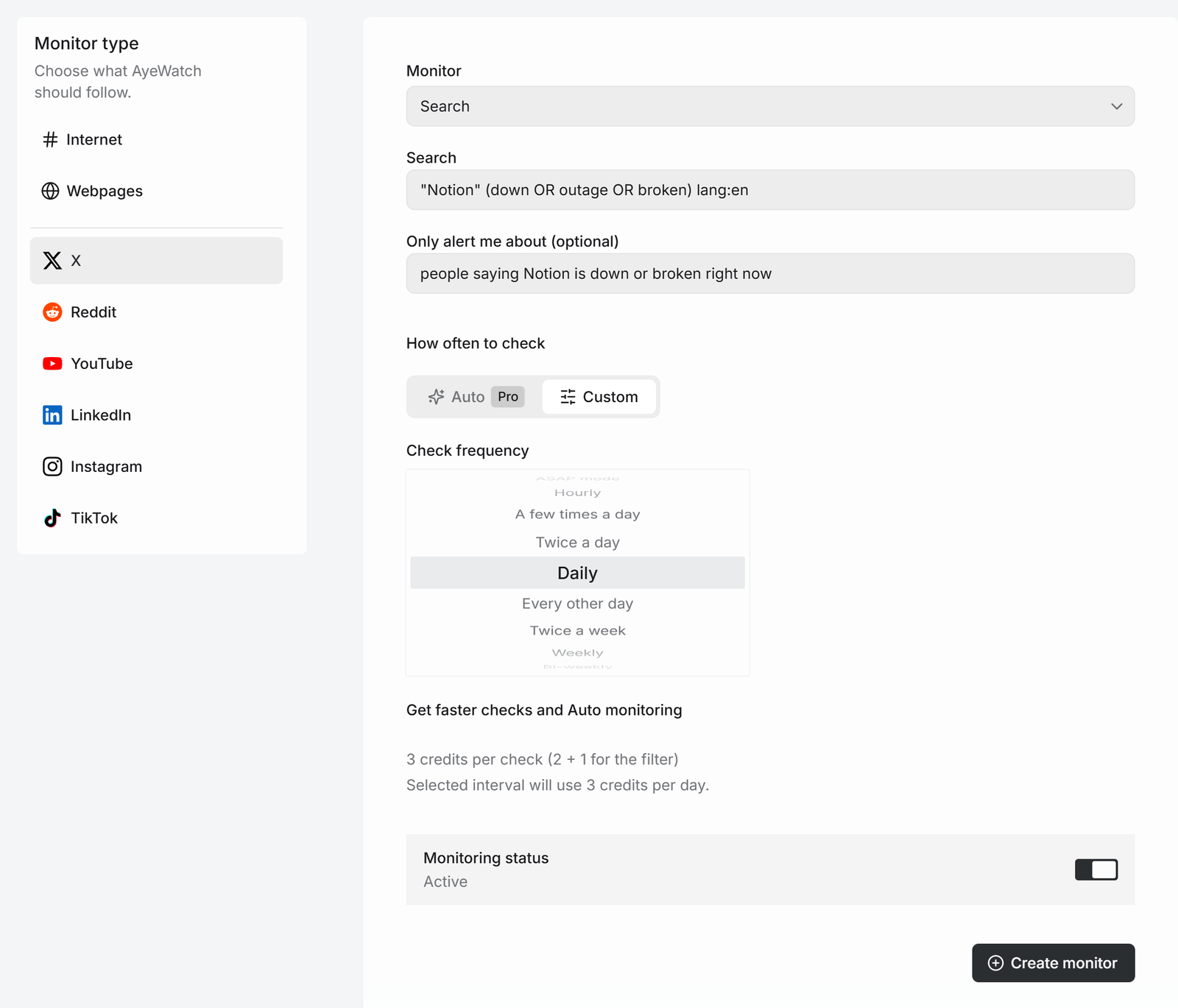
- Open Create a monitor → X. Search is the default mode.
- Type your query. X search operators work, for example
"Notion" (down OR outage OR broken) lang:en. - Optional: describe what you actually want in Only alert me about, like "people saying Notion is down or broken right now". The query finds candidates and the AI filter drops the noise.
- Pick how often to check and click Create monitor.
Query cheat sheet
| You want | Type |
|---|---|
| Exact phrase | "acme cloud" |
| Any of several words | notion OR obsidian |
| Exclude a word | acme -giveaway |
| One language | lang:en |
| Tweets that mention an account | @stripe |
| Tweets from one account about a topic | from:stripe pricing |
| A hashtag | #buildinpublic |
Each check reads X's Latest results, so you see new tweets, not whatever is trending.
What you get
The first check saves the current posts as a starting point, so you are not flooded with old ones. After that, every check that finds something new sends one alert. The headline is the post itself, or "3 new from …" when several land at once, with a link to each post and its text.
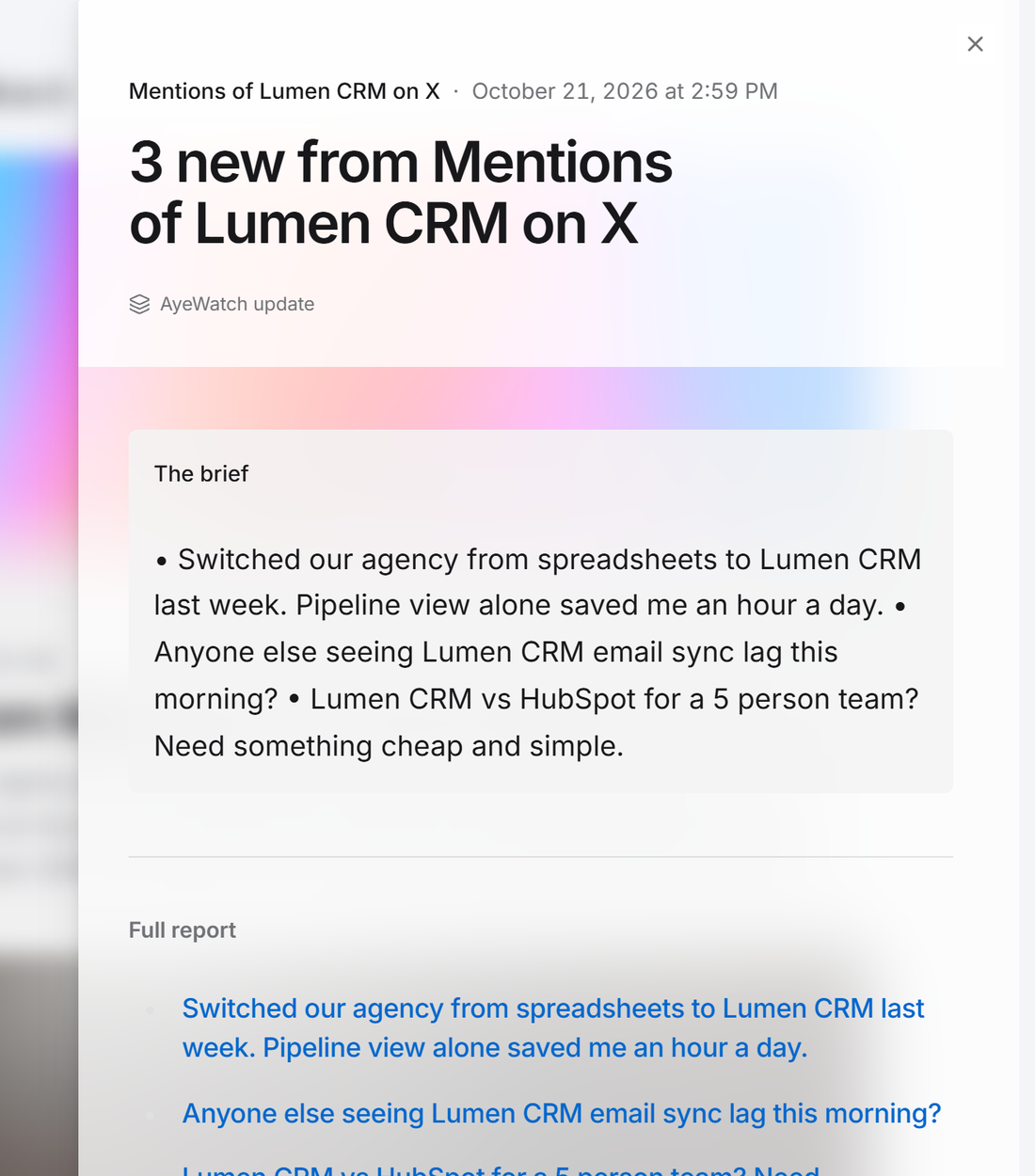
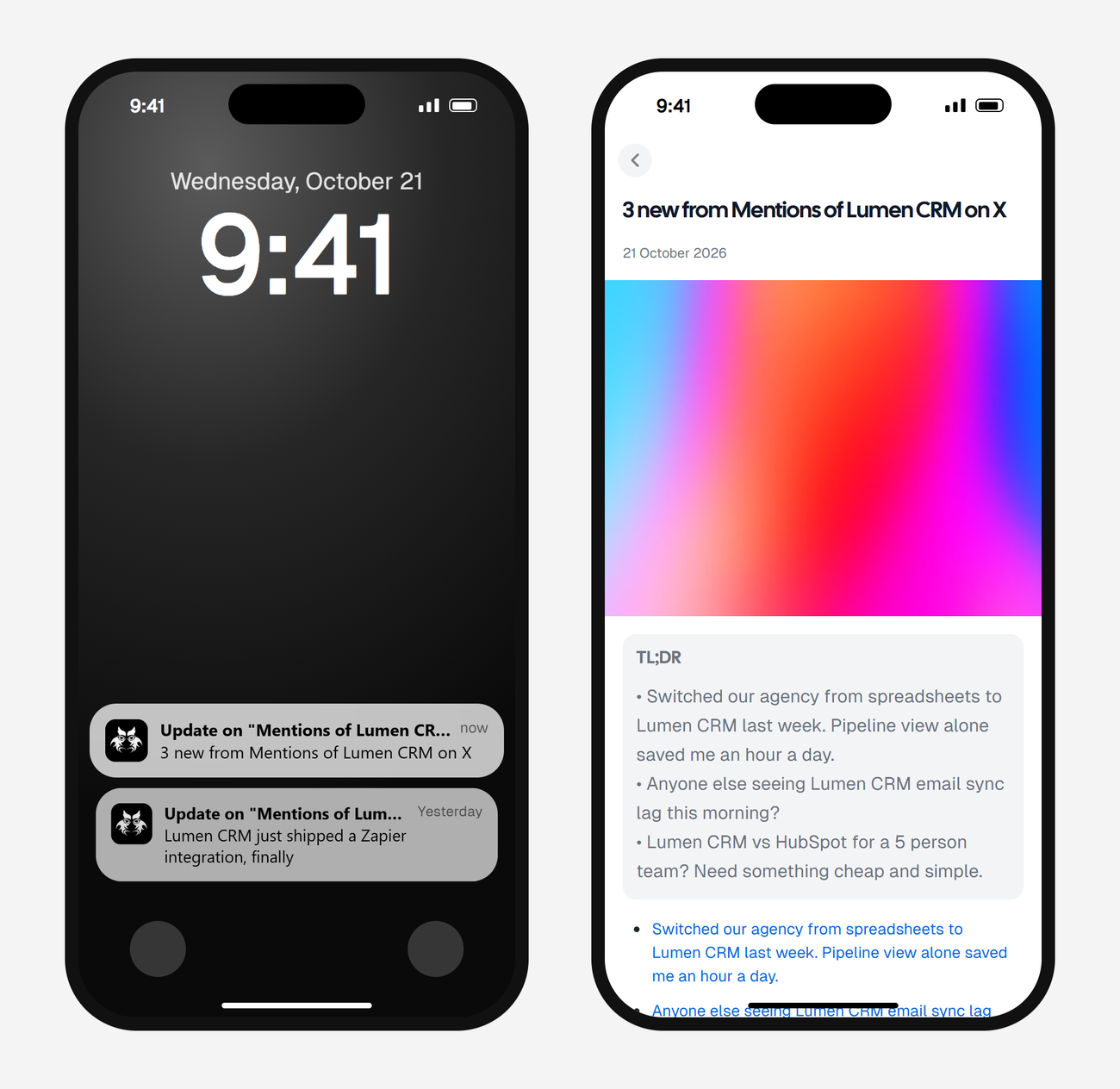
Alerts land in your feed and as push in the AyeWatch iOS and Android app. On Pro and Pro+ you can also turn on email, Slack, or a webhook.
What it costs
An X search check uses 2 credits, or 3 with the filter.
| Check every | Credits a day (with filter) | Plan that fits |
|---|---|---|
| Daily | 3 | Free Preview, to try it |
| Twice a day | 6 | Pro |
| A few times a day | 12 | Pro |
| Hourly | 72 | Pro+ plus a top-up, or drop the filter |
Plans: Free Preview gives you 3 credits to try a monitor on a daily check. Pro is $9 a month for 500 credits and checks as often as hourly. Pro+ is $19 a month for 1,500 credits and adds ASAP mode. Failed checks are refunded, and the form shows the exact daily credit use before you save.
Good first alerts
- Your brand name minus your own handle:
"acme" -from:acme. - Outage reports for a tool you depend on.
- A competitor's name plus "switching" or "alternative".
- Launch reactions: your product name for the week after a launch.
FAQ
Is this the same as Google Alerts for Twitter?
It does what people expect Google Alerts for Twitter to do. It searches X directly, so new tweets show up even though Google doesn't index them.
Is the match exact or smart?
Both. The query is a normal X keyword search. The optional Only alert me about filter is read by AI, so it matches meaning, not just words.
Can I track a hashtag on X?
Yes. Put the hashtag in the query, for example #buildinpublic lang:en.