6 Best RSS.app Alternatives in 2026
The 6 best RSS.app alternatives in 2026: AyeWatch, Feedly, Inoreader, Feeder and more, for updates from any site without reading every item.
By AyeWatch Team8 min read

RSS.app turns sites and social pages without RSS into feeds. People look for an RSS.app alternative when feed caps make the upper tiers expensive, when the free plan's two daily feeds are not enough, or when the generated feed turns into one more folder they never read.
The feed is only half the job: you still need a reader, and you still read every item. Here are six tools that handle that differently.
Quick comparison: best RSS.app alternatives
| Product | Best for | Starting price | Key difference | Review |
|---|---|---|---|---|
| AyeWatch | Alerts and digests from any page, topic or social media account | Free Preview, then $9/mo | Sends summaries, not feeds to read | Read |
| Feedly | RSS power users who want AI-filtered feeds | $6/mo (billed annually) | Mature reader with AI Feeds | Read |
| Inoreader | Readers who want rules, filters and keyword feeds | $7.50/mo (billed annually) | Keyword monitoring feeds and rules | Read |
| Feeder | Simple RSS reading with a generous free tier | $7.99/mo (billed annually) | 200 feeds free, light interface | Read |
| Distill | Element-level checks run from your browser | $15/mo | Element-level alerts on any page | Read |
| Zapier | Routing alerts from other tools into your apps | $19.99/mo (billed annually) | Routes feed items into other apps | Read |
Starting prices are the lowest paid plan listed on each vendor's site, checked October 2026.
Best overall alternative
1. AyeWatch
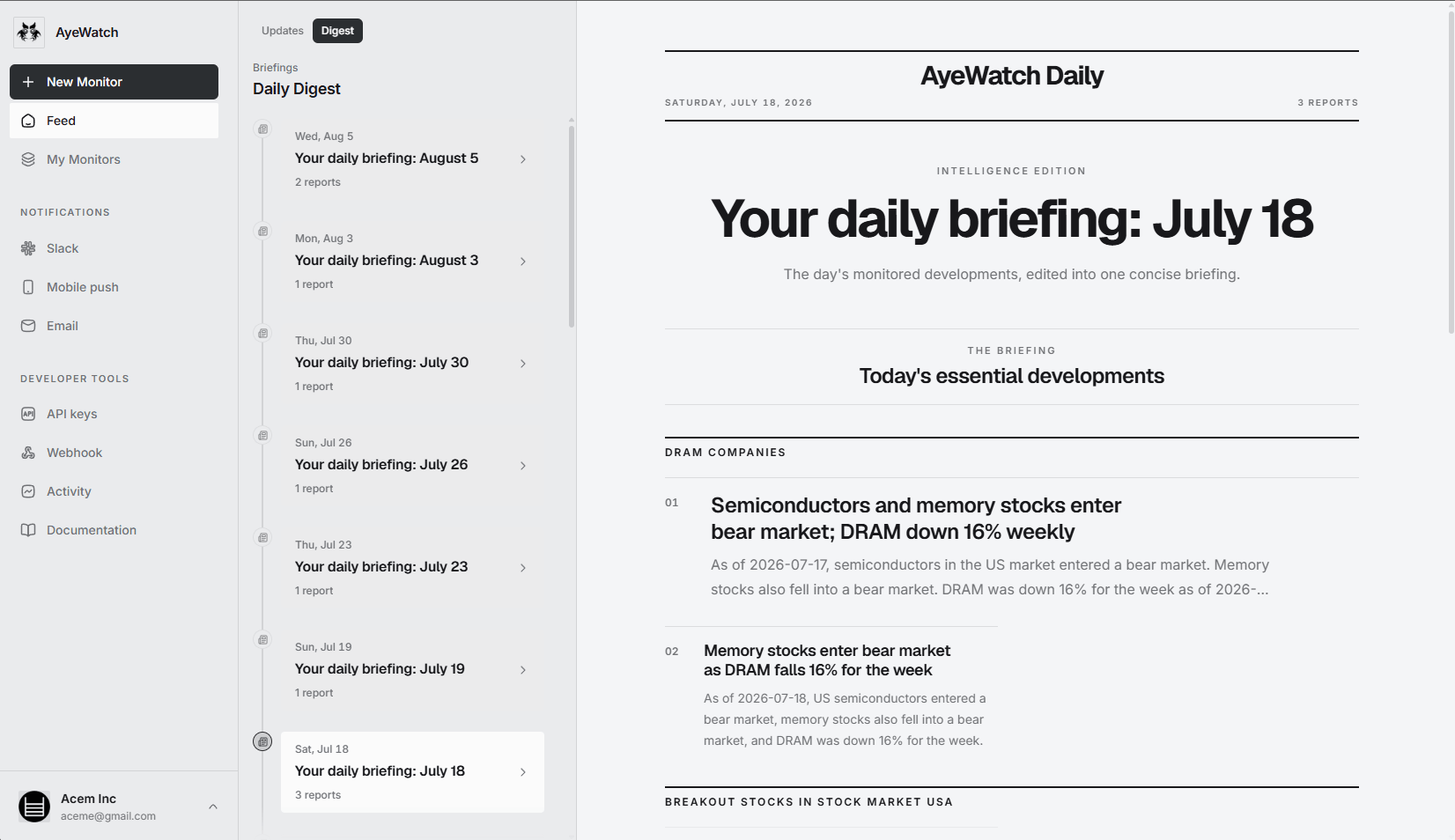
AyeWatch is an AI internet monitor. Paste a URL, describe a topic in plain English or monitor social media, and it tells you when something matching your rule appears, with a short summary. Slower monitors can roll into a daily digest. It does not generate an RSS feed.
Best for: Alerts and digests from any page, topic or social media account.
- Any page, no feed needed. Paste a careers page, a newsroom or a changelog and say what counts.
- Topics instead of feeds. An Internet monitor finds matching stories on sites you never converted.
- Social monitors for X, Reddit, YouTube, LinkedIn, Instagram and TikTok.
- Daily digest for low-urgency monitors, push and email for the rest.
Pricing: Free Preview with no card. Pro is $9/mo with hourly monitoring. Pro+ is $19/mo and unlocks ASAP mode.
Try AyeWatch as your RSS.app alternative
Describe a topic, paste a URL or monitor social media. Free Preview, no card.
Start free →Why teams choose AyeWatch
- No reader required. Alerts arrive by push, email, Slack or Discord, already filtered by your rule.
- Filtering by meaning. "New roles in Berlin only" is a rule, not a keyword filter you keep tuning.
- Webhooks and REST API on paid plans if another system needs the alerts.
Monitor: "Careers page at https://example.com/jobs"
Rule: "Alert me when a new product design or research role is posted. Ignore edits to existing listings."
AyeWatch vs RSS.app
| Feature | AyeWatch | RSS.app |
|---|---|---|
| Starting price | Free Preview, then $9/mo | $8.32/mo (billed annually) |
| Output | Alerts with a summary | An RSS feed or widget |
| Needs a reader | No | Yes |
| Filtering | Plain-English rule, by meaning | Filters and bundles |
| Finds sources you did not add | Yes, with Internet monitors | No |
| Embeddable widgets | No | Yes |
When RSS.app is still the better pick: If another system only speaks RSS, such as a reader you will not leave or a widget on your site, RSS.app is the right tool and AyeWatch is not. AyeWatch sends alerts, digests and webhooks; it does not publish a feed you can subscribe to.
Best reader
2. Feedly
Feedly is an RSS and news reader. The free plan follows up to 100 feeds; Pro+ adds AI Feeds, and Market Intelligence is a separate enterprise product.
Best for: RSS power users who want AI-filtered feeds.
Strengths
- Large source library and polished apps
- AI Feeds on Pro+
- Enterprise intelligence tier for teams
Weaknesses
- You still read a feed rather than get alerts
- Best features sit in higher tiers
- Enterprise pricing is quote-only
Pricing: $6/mo (billed annually) (Free plan).
Pick it if you want a mature reader and like scanning headlines yourself.
Best for rules and filters
3. Inoreader
Inoreader is an RSS reader with search, rules, filters, newsletter inboxes and keyword monitoring feeds. The free plan covers 150 feeds.
Best for: Readers who want rules, filters and keyword feeds.
Strengths
- Rules, filters and monitoring feeds
- Generous free plan
- API access on custom plans
Weaknesses
- Dense interface
- Advanced features need Pro
- Filters are keyword-based, not meaning-based
Pricing: $7.50/mo (billed annually) (Free plan).
Pick it if you want a highly configurable reader and enjoy building rules.
Best free reader
4. Feeder
Feeder is a lightweight RSS reader. The free plan follows 200 feeds; Plus adds rules, filters, email summaries and faster refresh.
Best for: Simple RSS reading with a generous free tier.
Strengths
- 200 feeds free
- Rules and filters on Plus
- Fast refresh on paid tiers
Weaknesses
- Short history on the free plan
- Few AI features
- Smaller ecosystem than Feedly
Pricing: $7.99/mo (billed annually) (Free plan (200 feeds)).
Pick it if you want a light, low-cost reader.
5. Distill
Distill monitors pages from a browser extension or its cloud, with condition-based alerts on the page elements you select. Closer to RSS.app's job when you only want one part of a page.
Best for: Element-level checks run from your browser.
Strengths
- Generous free plan
- Fine-grained element selection and conditions
- Local checks are free
Weaknesses
- Local monitors need your browser open
- Free cloud checks run every 6 hours
- Setup is more technical than most
Pricing: $15/mo (Free plan (25 monitors)).
Pick it if you want element-level conditions and cheap local checks.
6. Zapier
Zapier connects thousands of apps. It has no real page-change detection of its own, so most setups pair an RSS trigger or a monitoring tool with a Zap.
Best for: Routing alerts from other tools into your apps.
Strengths
- Connects thousands of apps
- Free plan to start
- Great delivery layer for other tools
Weaknesses
- No meaningful change detection by itself
- Every action counts as a task
- Costs rise with volume
Pricing: $19.99/mo (billed annually) (Free plan (100 tasks)).
Pick it if you already have a change source and need to route alerts into other apps.
FAQ
What is the best RSS.app alternative?
If you want to be told when a page, a topic or a social media account changes, AyeWatch. If you want to keep reading feeds, Feedly or Inoreader. If you need a feed or widget from a site without RSS, RSS.app itself is still the closest fit.
Is there a free RSS.app alternative?
RSS.app's own free plan covers two feeds. Feeder follows 200 feeds free, Inoreader 150, and Distill monitors 25 pages free. AyeWatch has a Free Preview with no card.
Can AyeWatch create an RSS feed?
No. AyeWatch sends alerts by push, email, Slack, Discord and webhooks, and offers a daily digest. If you need an RSS file, keep a feed generator.
How do I switch from RSS.app to AyeWatch?
Take each RSS.app feed you actually use, paste its source URL as a webpage monitor, and write the rule you were applying in your head while reading it.
Which tool is right for you?
- You want alerts on what changed, not a feed to read: AyeWatch.
- You like scanning headlines in a polished reader: Feedly.
- You want to build rules and keyword feeds: Inoreader.
- You want a free, light reader: Feeder.
- You need feed items pushed into other apps: Zapier.
Monitor what matters without the noise
Set up your first monitor in under a minute. Free Preview, no card.
Get started today →