6 Best Feedly Alternatives in 2026
The 6 best Feedly alternatives in 2026, from RSS readers to alert tools. AyeWatch, Inoreader, NewsBlur, Feeder and more, compared on price and filters.
By AyeWatch Team8 min read
Feedly is a mature reader with a big source library. People look for a Feedly alternative when the AI features they want sit in higher tiers, or when they realize they would rather be told when something specific happens than scroll another feed.
Below are six options, from readers to an alert tool, so you can pick by the job you need done.
Quick comparison: best Feedly alternatives
| Product | Best for | Starting price | Key difference | Review |
|---|---|---|---|---|
| AyeWatch | Alerts and digests instead of a feed to scroll | Free Preview, then $9/mo | Alerts on topics, no source curation | Read |
| Inoreader | Readers who want rules, filters and keyword feeds | $7.50/mo (billed annually) | Rules, filters and keyword monitoring feeds | Read |
| NewsBlur | Open-source reading with trainable filters | $36/yr | Trainable filters, $36 a year | Read |
| Feeder | Simple RSS reading with a generous free tier | $7.99/mo (billed annually) | 200 feeds free, simple interface | Read |
| RSS.app | Turning sites and social profiles into feeds | $8.32/mo (billed annually) | Makes feeds for sites without RSS | Read |
| Particle | Quick AI summaries of the day's big stories | Free; Particle+ $2.99/mo | AI summaries of big stories | Read |
Starting prices are the lowest paid plan listed on each vendor's site, checked October 2026.
Best overall alternative
1. AyeWatch
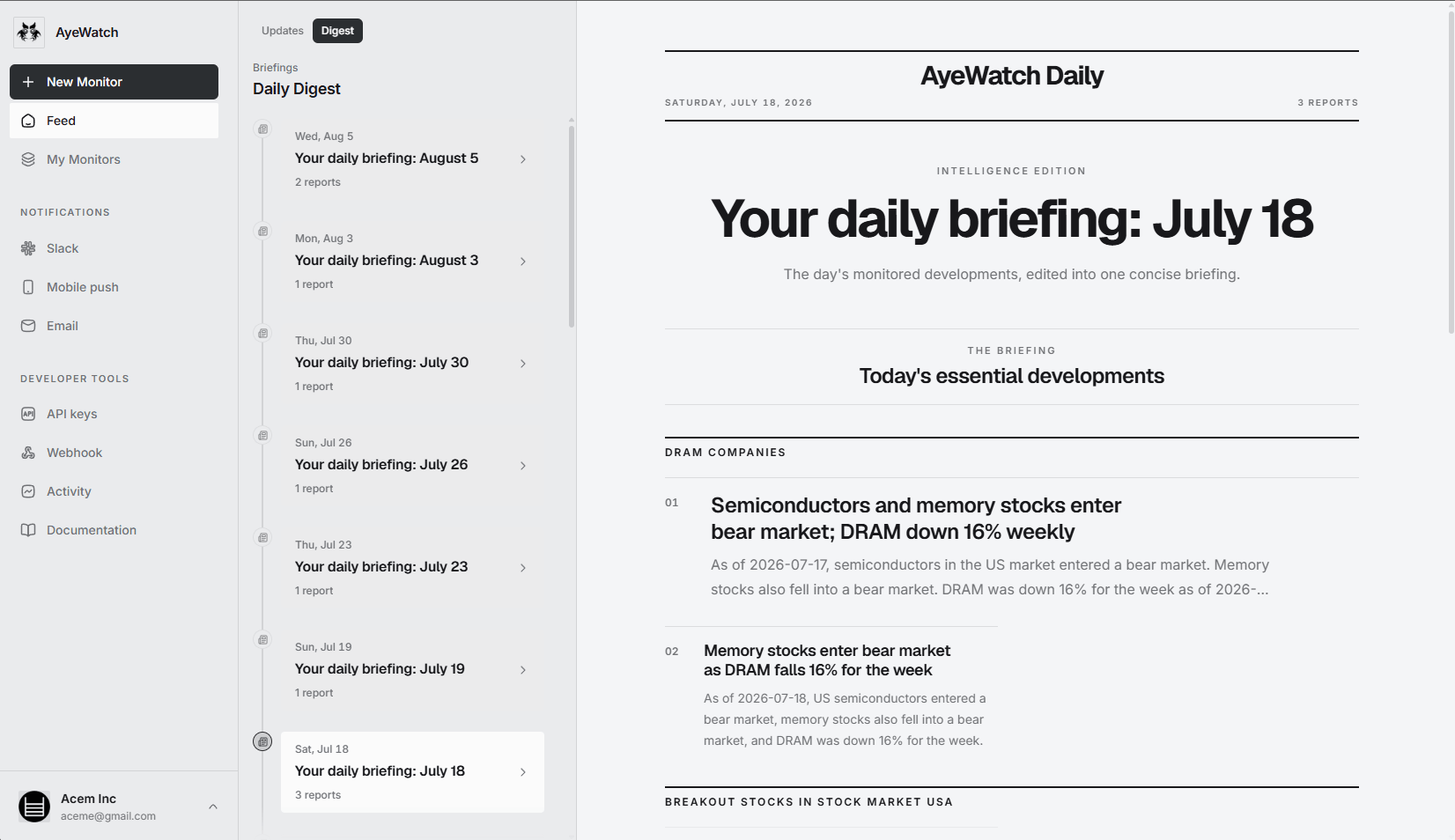
AyeWatch is an AI internet monitor. Instead of subscribing to sources, you describe a topic in plain English and it alerts you when something matching happens across 1B+ sources, not only sites with RSS. Each alert has a short summary, and a daily digest collects the rest.
Best for: Alerts and digests instead of a feed to scroll.
- No source list to curate. An Internet monitor searches for coverage of your topic, including sites you never subscribed to.
- Daily digest. One briefing a day for topics that do not need an instant alert.
- Pages without RSS. Webpage monitors cover pricing pages, changelogs and notices that never publish a feed.
- Push when it matters on iOS and Android, plus email, Slack, Discord and webhooks.
Pricing: Free Preview with no card. Pro is $9/mo with hourly monitoring. Pro+ is $19/mo and unlocks ASAP mode.
Try AyeWatch as your Feedly alternative
Describe a topic, paste a URL or monitor social media. Free Preview, no card.
Start free →Why teams choose AyeWatch
- Coverage you did not have to find. Topic monitors are not limited to sources you already follow.
- Filtering on every plan. Each item is judged against your plain-English rule; there is no separate AI tier.
- Social platforms built in. X, Reddit, YouTube, LinkedIn, Instagram and TikTok monitors, with no feed generator needed.
Monitor: "New open-weight model releases from major AI labs"
Rule: "Alert me when a lab releases new model weights. Ignore benchmark commentary and opinion pieces."
AyeWatch vs Feedly
| Feature | AyeWatch | Feedly |
|---|---|---|
| Starting price | Free Preview, then $9/mo | $6/mo (billed annually) |
| Core job | Alerts when something happens | Reading feeds you subscribe to |
| Sources | Topics across the web, pages, social platforms | RSS feeds and sources you add |
| AI filtering | On every plan | AI Feeds on Pro+ |
| Page changes without RSS | Yes | No |
| Reading experience | Alert summaries and a daily digest | Full reader with polished apps |
When Feedly is still the better pick: If you enjoy reading and want a calm place to scan headlines from sources you trust, Feedly is a better reader than AyeWatch, which is not a reader at all. Its free plan follows up to 100 feeds.
Full feature table: AyeWatch vs Feedly.
Best for power users
2. Inoreader
Inoreader is an RSS reader with search, rules, filters, newsletter inboxes and keyword monitoring feeds. The free plan covers 150 feeds.
Best for: Readers who want rules, filters and keyword feeds.
Strengths
- Rules, filters and monitoring feeds
- Generous free plan
- API access on custom plans
Weaknesses
- Dense interface
- Advanced features need Pro
- Filters are keyword-based, not meaning-based
Pricing: $7.50/mo (billed annually) (Free plan).
Pick it if you want a highly configurable reader and enjoy building rules.
Best open-source reader
3. NewsBlur
NewsBlur is an open-source RSS reader that lets you train filters by author, tag and title. Premium is $36 a year.
Best for: Open-source reading with trainable filters.
Strengths
- Open source and self-hostable
- Trainable filters
- Low-cost Premium
Weaknesses
- Free tier limited to 64 sites
- Dated interface
- Small team
Pricing: $36/yr (Free plan (64 sites)).
Pick it if you want an affordable, open-source reader with some filtering.
Best free reader
4. Feeder
Feeder is a lightweight RSS reader. The free plan follows 200 feeds; Plus adds rules, filters, email summaries and faster refresh.
Best for: Simple RSS reading with a generous free tier.
Strengths
- 200 feeds free
- Rules and filters on Plus
- Fast refresh on paid tiers
Weaknesses
- Short history on the free plan
- Few AI features
- Smaller ecosystem than Feedly
Pricing: $7.99/mo (billed annually) (Free plan (200 feeds)).
Pick it if you want a light, low-cost reader.
5. RSS.app
RSS.app generates RSS feeds from websites and social pages that lack them, and builds embeddable widgets and email digests.
Best for: Turning sites and social profiles into feeds.
Strengths
- Feeds from sites without RSS
- Embeddable widgets
- Bundles, filters and digests
Weaknesses
- Free plan is two feeds with daily refresh
- Feed caps make upper tiers pricey
- Generates feeds; you still need a reader
Pricing: $8.32/mo (billed annually) (Free plan (2 feeds)).
Pick it if you need a feed or widget from a source that has no RSS.
6. Particle
Particle is an AI news app that summarizes each story across many outlets, on iOS, Android and the web.
Best for: Quick AI summaries of the day's big stories.
Strengths
- Free core app
- Multi-source story summaries
- Q&A and audio features
Weaknesses
- No custom alerts or API
- Covers big stories, not niche topics
- Consumer app, no team features
Pricing: Free; Particle+ $2.99/mo (Free).
Pick it if you want fast AI summaries of general news.
FAQ
What is the best Feedly alternative?
If you want another reader, Inoreader for rules and filters or Feeder for simplicity. If you want to stop reading feeds and get alerts on topics instead, AyeWatch.
Is there a free Feedly alternative?
Yes. Feeder follows 200 feeds free, Inoreader's free plan covers 150, NewsBlur is free for up to 64 sites, and AyeWatch has a Free Preview with no card.
Is AyeWatch an RSS reader?
No. AyeWatch does not show everything a source publishes. It sends alerts and a daily digest for items that match your rules. Keep a reader if you like browsing.
How do I move from Feedly to AyeWatch?
Start with the topics you open Feedly to check, not the feed list. Write each one as a plain-English monitor, and add webpage monitors for pages that matter but have no feed.
Which tool is right for you?
- You want alerts on topics instead of a feed to scroll: AyeWatch.
- You love reading and want a mature reader: Feedly.
- You want rules, filters and keyword feeds: Inoreader.
- You want a simple free reader: Feeder.
- You need a feed from a site that has none: RSS.app.
Monitor what matters without the noise
Set up your first monitor in under a minute. Free Preview, no card.
Get started today →