LinkedIn Post Search by Date: Get New Posts Automatically
LinkedIn's search sorts by relevance and makes you search again. Get each new post for a keyword automatically, with no cookies or extension.
Short answer: in LinkedIn, search your keyword, pick Posts, then set Date posted to past 24 hours and Sort by to latest. You have to repeat that by hand. An AyeWatch LinkedIn Post search monitor runs the search for you and alerts you to each new post, with no browser extension or cookies.
The manual way in LinkedIn
- Type your keyword in the search bar and press Enter.
- Click Posts at the top.
- Open Date posted and choose Past 24 hours. Set Sort by to Latest.
Results still mix in older posts with recent comments, and nothing tells you when a new one appears.
The automatic way
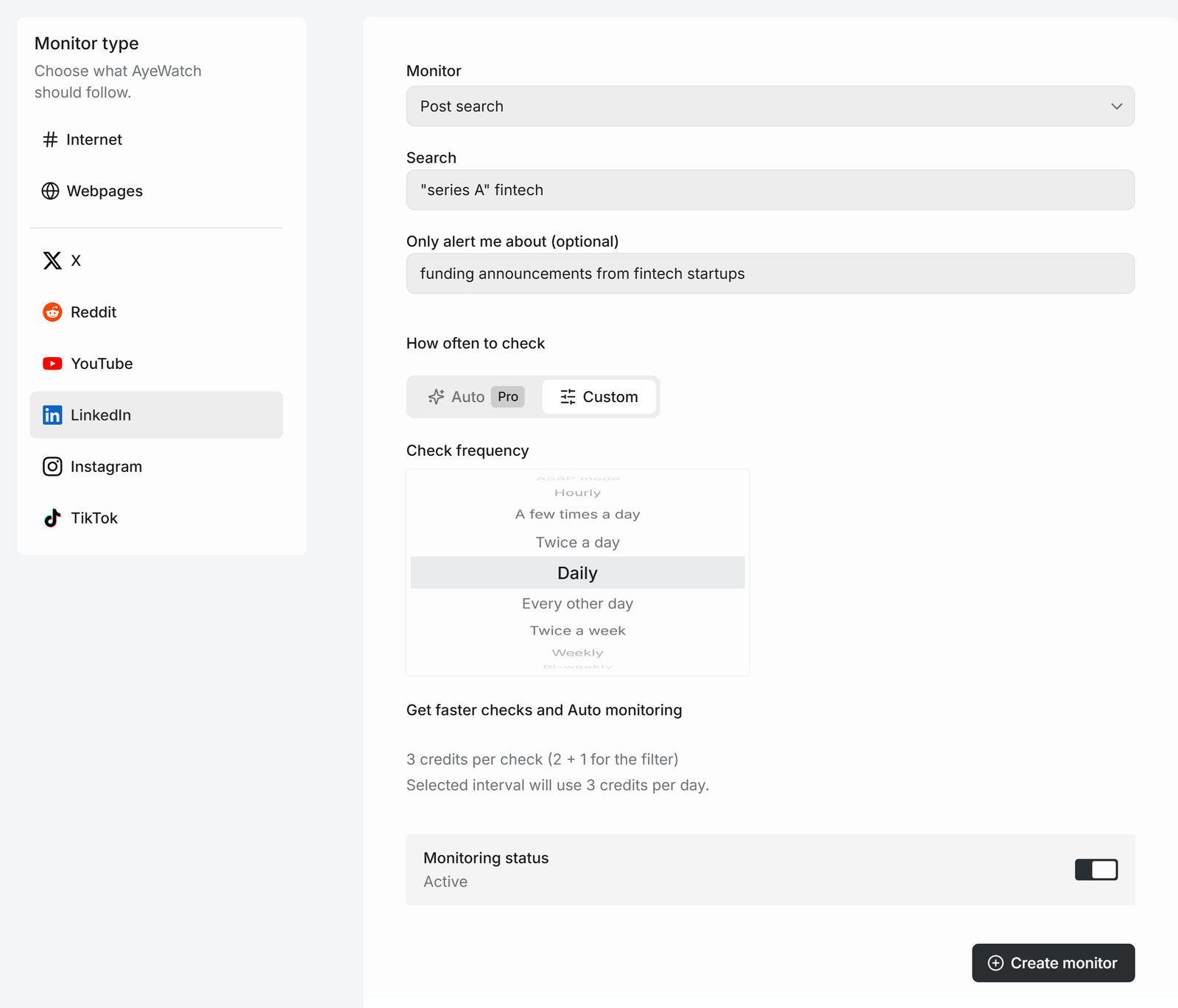
- Open Create a monitor → LinkedIn. Keep Post search.
- Type the query, like
"series A" fintech. Quotes and OR work. - Optional: add Only alert me about, like "funding announcements from fintech startups".
- Pick a schedule and click Create monitor.
What you get
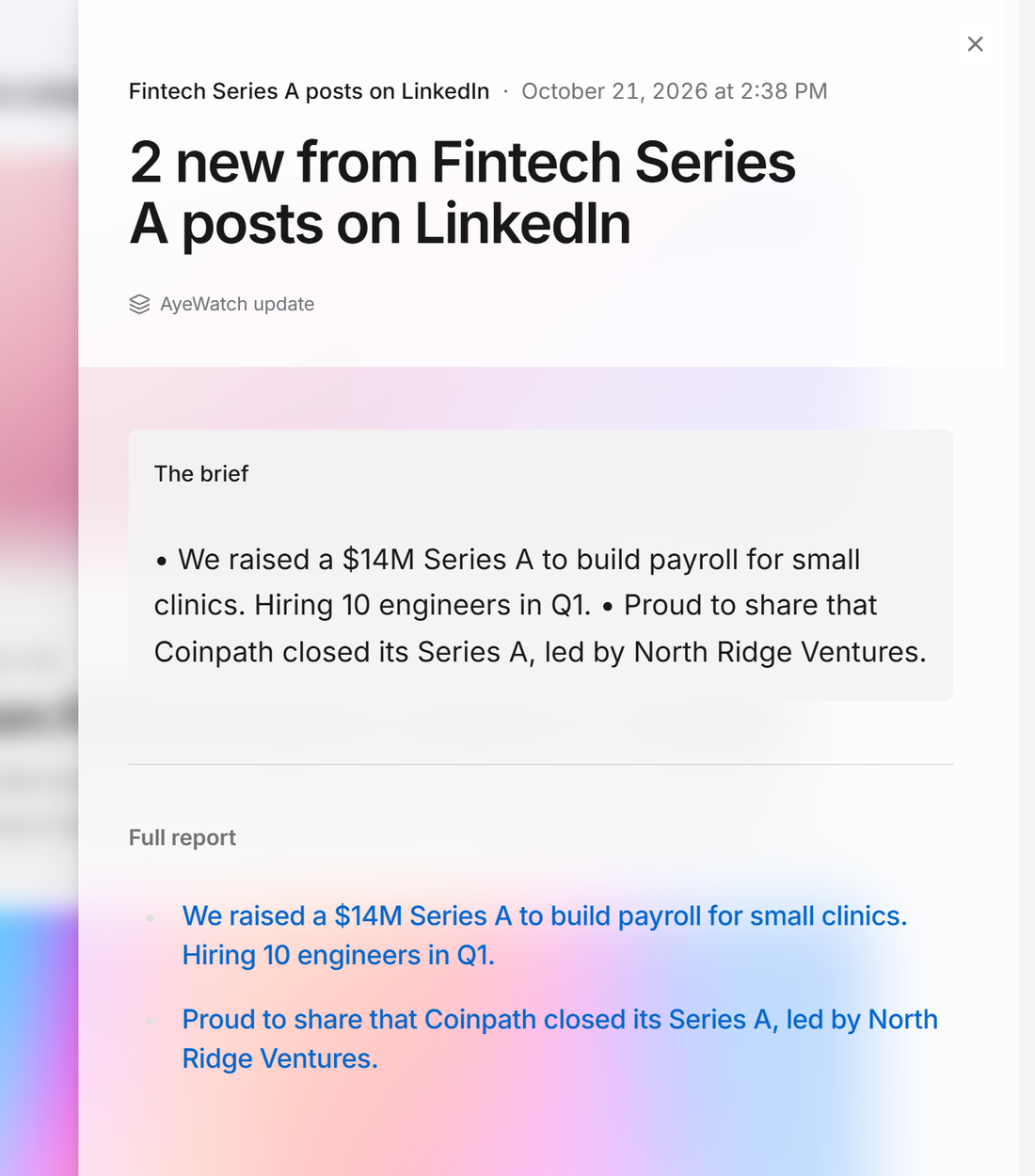
The first check saves the current posts as a starting point, so you are not flooded with old ones. After that, every check that finds something new sends one alert. The headline is the post itself, or "3 new from …" when several land at once, with a link to each post and its text.
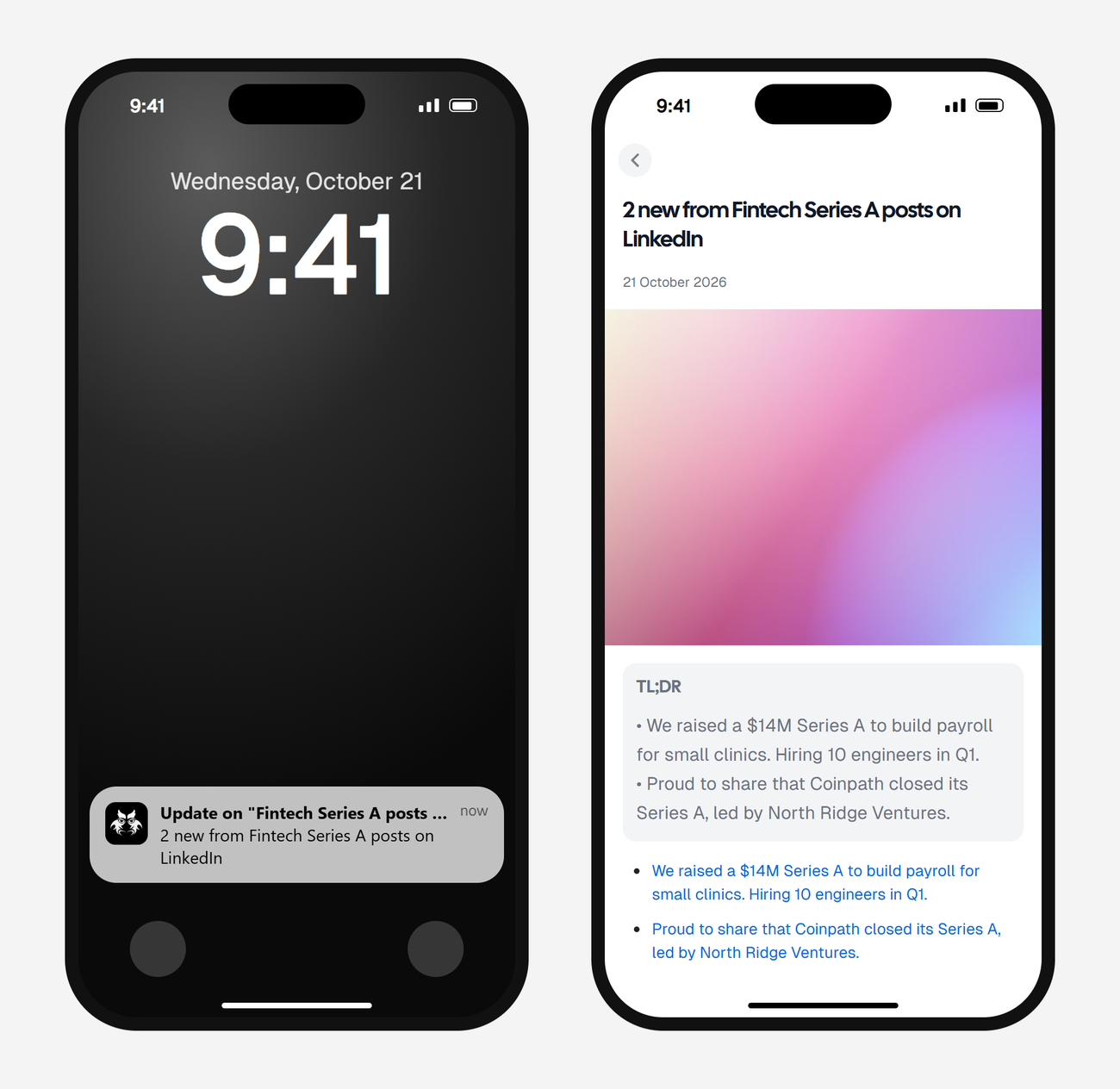
Alerts land in your feed and as push in the AyeWatch iOS and Android app. On Pro and Pro+ you can also turn on email, Slack, or a webhook.
What it costs
| Check every | Credits a day | Plan that fits |
|---|---|---|
| Daily | 2 | Free Preview to try it, then Pro |
| Twice a day | 4 | Pro |
| A few times a day | 8 | Pro |
Plans: Free Preview gives you 3 credits to try a monitor on a daily check. Pro is $9 a month for 500 credits and checks as often as hourly. Pro+ is $19 a month for 1,500 credits and adds ASAP mode. Failed checks are refunded, and the form shows the exact daily credit use before you save.
FAQ
Why is LinkedIn post search not working?
LinkedIn limits search for accounts that search a lot, and scrapers that use your cookies can get your account restricted. AyeWatch doesn't use your account.
Can I search posts older than a day?
No. The monitor reads the last day and alerts on new posts from then on.
Can I export the posts?
Yes, on Pro and Pro+, with a webhook.