Find Leads on LinkedIn Without Sales Navigator
Get an alert when someone posts on LinkedIn asking for what you sell. A post search for 'can anyone recommend' in your category, filtered to real buyers.
Short answer: Sales Navigator finds people by title. It doesn't tell you when someone posts "can anyone recommend a bookkeeper?". Create an AyeWatch LinkedIn Post search monitor for that request in your category, filter to real buyers, and reply the same day. No LinkedIn login or cookies needed.
Set it up
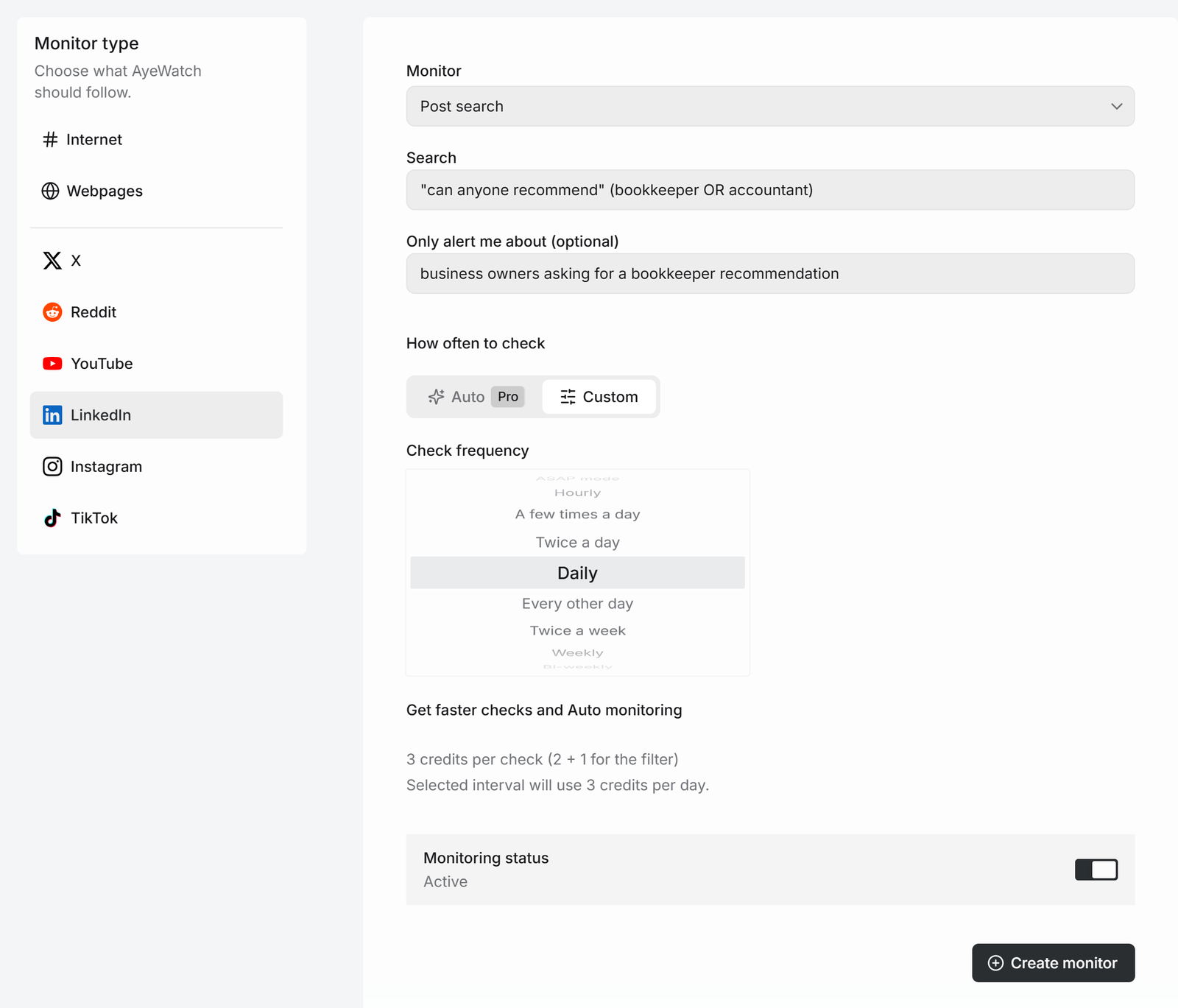
- Open Create a monitor → LinkedIn. Post search is the default.
- Query:
"can anyone recommend" (bookkeeper OR accountant). Use your category. - In Only alert me about, write "business owners asking for a bookkeeper recommendation".
- Pick Twice a day and click Create monitor.
Buying phrases on LinkedIn
"can anyone recommend","looking for recommendations""we're hiring an agency","looking for a partner""RFP"plus your service"switching from" YourCompetitor
What you get
The first check saves the current posts as a starting point, so you are not flooded with old ones. After that, every check that finds something new sends one alert. The headline is the post itself, or "3 new from …" when several land at once, with a link to each post and its text.
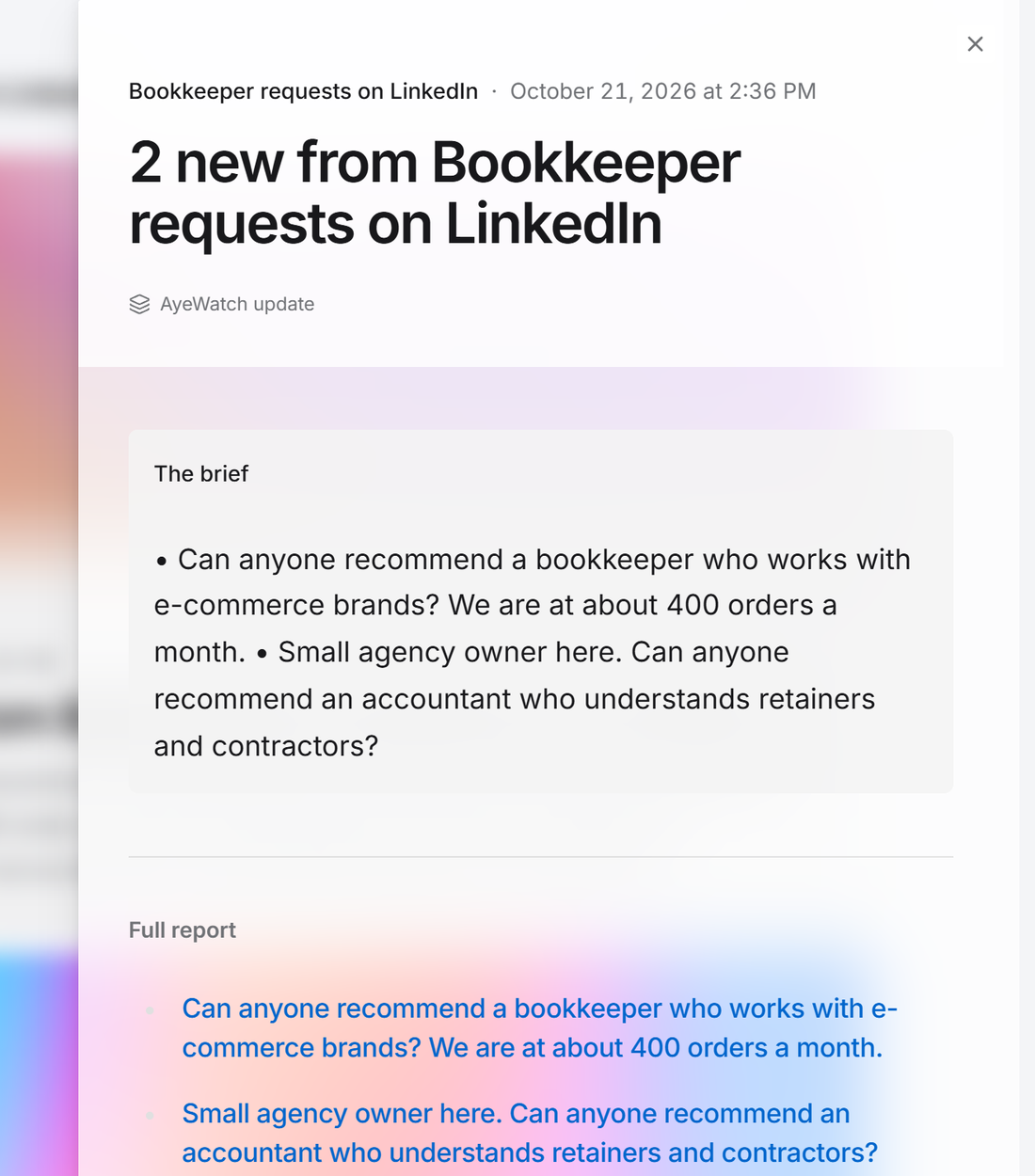

Alerts land in your feed and as push in the AyeWatch iOS and Android app. On Pro and Pro+ you can also turn on email, Slack, or a webhook.
What it costs
Post search is 2 credits a check, 3 with the filter.
| Check every | Credits a day | Plan that fits |
|---|---|---|
| Daily | 3 | Free Preview to try it, then Pro |
| Twice a day | 6 | Pro |
| A few times a day | 12 | Pro |
Plans: Free Preview gives you 3 credits to try a monitor on a daily check. Pro is $9 a month for 500 credits and checks as often as hourly. Pro+ is $19 a month for 1,500 credits and adds ASAP mode. Failed checks are refunded, and the form shows the exact daily credit use before you save.
Compared to Sales Navigator, this doesn't build lead lists, show org charts or send InMail. It finds people who just said they need something.
FAQ
Does it need my LinkedIn account?
No. AyeWatch searches public posts. Your account is never connected, so it can't be restricted.
Can I track a specific person's posts?
Yes, with Person posts mode. It costs 8 credits a check, so it defaults to daily.
How recent are the posts?
Each check reads posts from the last day, and only new ones alert.