Describe a topic
01Write what you want to know in plain English. Add the conditions that matter to you.
Write your ownFor crypto desks
Monitor protocols, unlocks, and SEC or CFTC news. Name the protocols and the chain you care about.

01 / 05Your update feed
Web, iOS, and Android · 3 free checks across up to 3 topics


Founders


Researchers


Job seekers



Investors



Creators


Crypto followers


Journalists


Market forecasters



Developers



AI builders



SEO teams


Community managers


Sports fans


Music fans


Students
Set it up once. Let AyeWatch keep checking.
Follow a company, product, event, or question. Add the conditions you care about.
Paste a URL to follow a price or job opening, or monitor social media on X, Reddit, YouTube, LinkedIn, Instagram or TikTok.
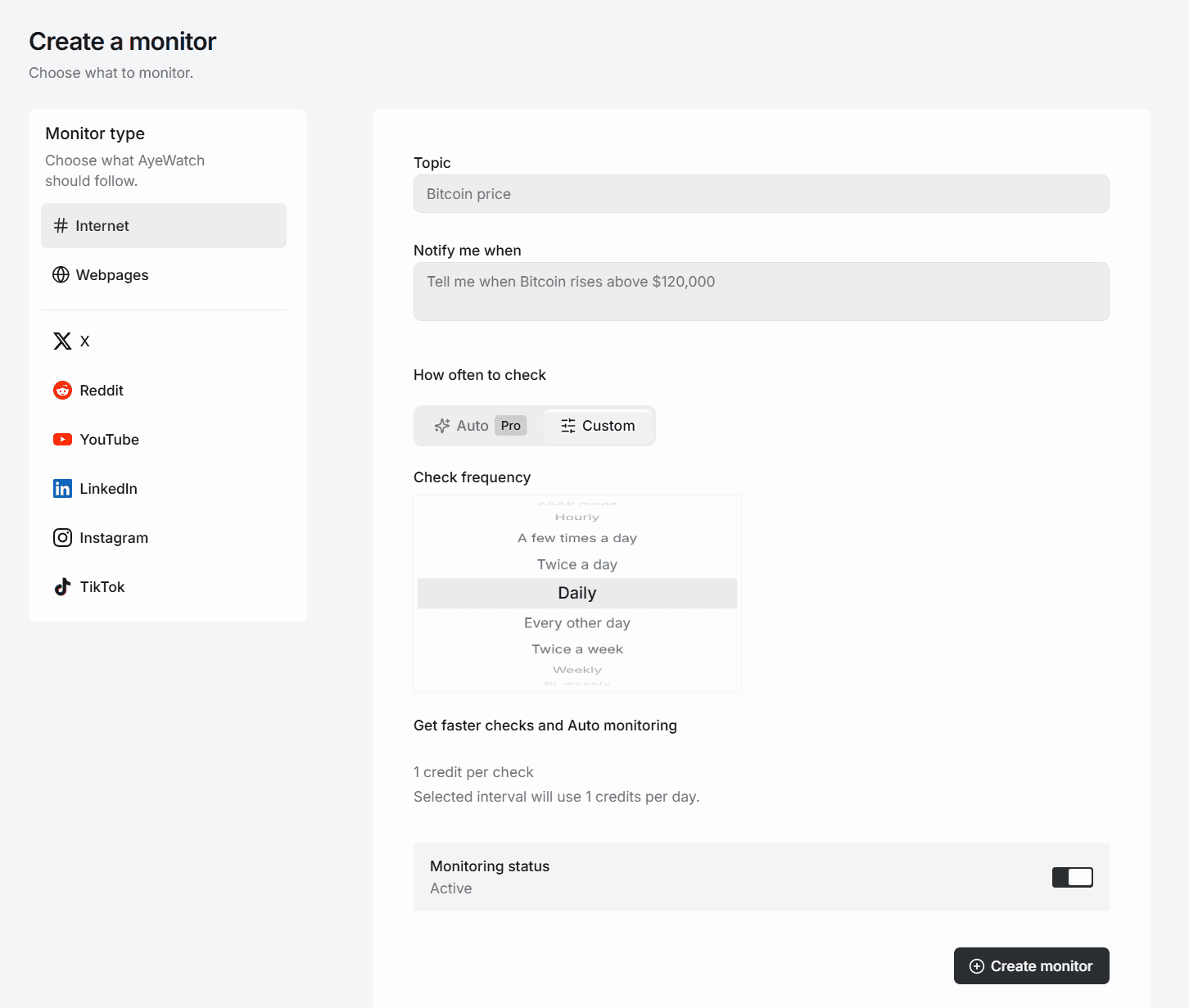
Use Auto on a paid plan, or choose a check interval available on your plan.
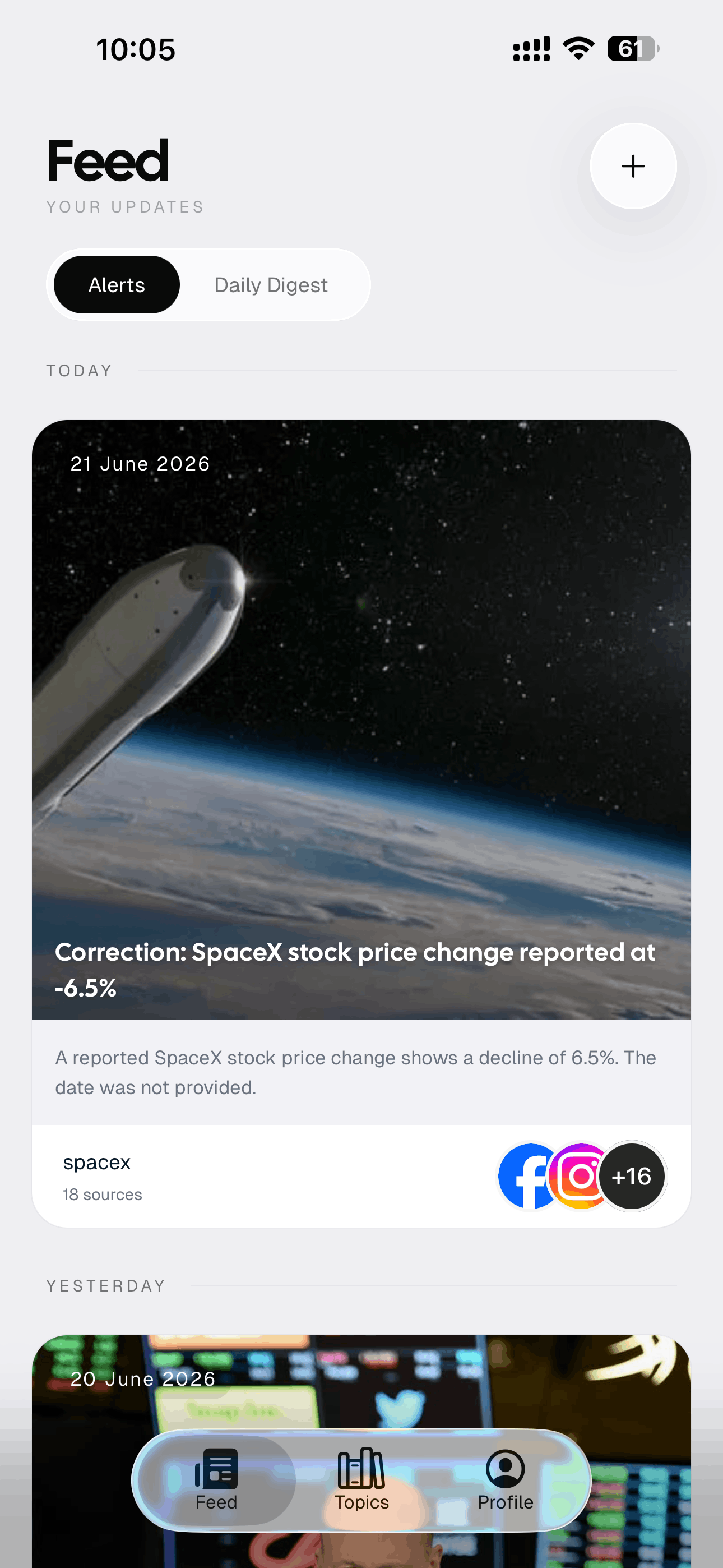
Open the update, read the summary, and follow its sources for the details.
Follow a company, product, event, or question. Add the conditions you care about.
Paste a URL to follow a price or job opening, or monitor social media on X, Reddit, YouTube, LinkedIn, Instagram or TikTok.
Use Auto on a paid plan, or choose a check interval available on your plan.
Open the update, read the summary, and follow its sources for the details.
AYEWATCH FOR MOBILE
Your monitors and updates stay with you. Check the feed, open a source, or manage a topic from the AyeWatch app.
Your update feed
01 / 04Catch up on the changes your monitors found, with source links alongside each update.
For researchers, investors, prediction-market traders, journalists, founders, analysts, creators, marketers, community managers, students, and curious minds. Track topics, webpages and social media, get updates with context, and receive alerts when AyeWatch finds something that matters to you.




Price drops


AI model releases



Public job postings

Prediction markets & forecasts

Product launches

Back in stock




Public changelogs


Pricing changes


Company announcements
Public discussions



Public videos & streams


Film & TV news
Earnings announcements


Crypto announcements

Funding announcements


Tech news


Search & SEO updates

Research papers

Open-source releases




New games & sales


Sports announcements
Music announcements


Tour announcements


Free learning resources
Or monitor anything you want on the public web.
GETTING STARTED
Start with the topic you keep searching for, the page you keep refreshing, or the feed you keep scrolling. You can edit or pause it whenever you need.
Write what you want to know in plain English. Add the conditions that matter to you.
Write your own
Watch a product page, a careers site, or another URL. Get told when a meaningful detail changes.
Monitor a page



Monitor an X profile, a subreddit, a YouTube channel, LinkedIn, Instagram or TikTok. Get told about the posts that match.
Pick a platformSEE IT WORK
Describe a topic, paste a webpage URL, or pick a source like an X profile or a subreddit.
Use Auto on a paid plan, or choose a Custom interval available on your plan.
Get push and in-app alerts, with email and connected channels on paid plans.
Push notifications and your feed on every plan. Paid plans add email, Slack, Discord, and webhooks.
AFTER SETUP
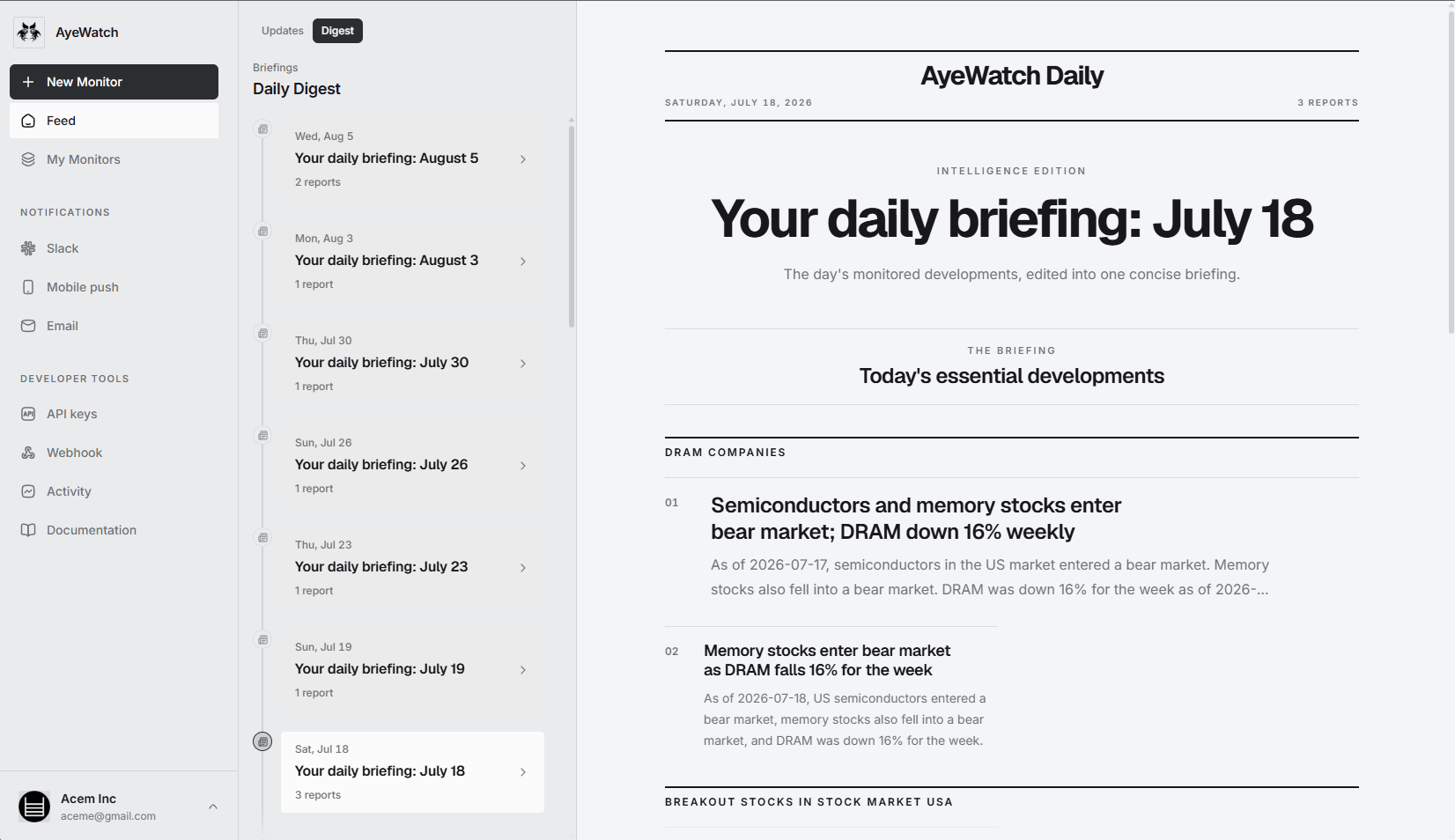
A clear summary when something changes, and a daily briefing when you want to catch up.
01
Open an alert to read the brief and follow the supporting sources. Your topics stay together in one feed.

02
The daily digest brings your monitored developments into a dated briefing. Paid plans also deliver it by email.
MONITORING SPEED
Stay close to an urgent topic. Check a quieter one less often. Each monitor has its own schedule.
LET AYEWATCH DECIDE
Checks more often while a topic is busy and slows down when it goes quiet. You can see why it chose a pace on each topic.
Available on paid plans.
CHOOSE YOUR SCHEDULE
Pick your own frequency, from ASAP mode to once a year. Your plan sets the fastest interval you can choose.
Daily and slower on Free Preview.
Start free, or start on a paid plan for just $2.99.
3 free runs across up to 3 topics. No credit card required. Cancel a paid plan anytime.
Free Preview gives you three lifetime monitoring runs across up to 3 topics, with Daily or slower Custom intervals. No credit card is required. The runs do not renew.
Auto sets each topic's check frequency for you. It speeds up while a topic is busy and slows down when it goes quiet, so you do not have to manage a schedule. Prefer to decide yourself? Custom lets you pick any interval your plan unlocks, from ASAP mode all the way down to once a year.
In your feed and as a push notification on every plan. Paid plans add email alerts, the daily digest email, Slack, Discord, webhooks, and the REST API. You choose the channels per topic.
Yes. Every paid plan includes the AyeWatch REST API: create, list, update, and delete topics programmatically, and receive signed topic.update webhook events with AI-generated summaries.
Yes. No contracts or cancellation fees. Upgrade, downgrade, or cancel any time. You keep access until the end of your billing period.
No. Auto monitoring tunes each topic's check frequency for you, and Custom lets you pick any interval from a few-times-a-day to weekly. Reserve real-time for the handful of topics that actually matter. You can mute, pause, or change a topic anytime.
No. Your monitors, topics, and alert history are private to your account. We do not sell your data, share what you monitor, or train models on your private monitoring activity.
AyeWatch uses AI that understands meaning, not just keywords, to reduce noisy matches. You can mute, pause, or tighten any topic anytime, and corrections stay visible in your feed when a story changes.
Start with one topic that's been on your mind: a competitor, market, person, product, URL, or question you keep Googling. You can change or delete monitors anytime.
Google Alerts mainly searches Google's web index using basic keyword matching and delayed delivery. AyeWatch monitors news, social media, blogs, forums, and specific webpages using AI that understands meaning and alerts you when something actually changes.
AyeWatch monitors over 1 billion sources across the internet: news sites, social platforms, forums, blogs, government pages, academic publications, and specific webpages you add yourself.
ASAP is the fastest monitoring mode, designed for urgent topics such as market movements, breaking news, competitive intelligence, and other time-sensitive updates. It is available on higher plans.
Yes. In addition to topic monitoring, you can track specific URLs and get alerted when meaningful content changes on competitor websites, job boards, regulatory pages, product pages, and more.
Yes. You can monitor social media: X profiles, communities and searches, subreddits and Reddit users, YouTube channels, LinkedIn company and person posts, Instagram searches and hashtags, and TikTok profiles. Add a filter in plain English and AyeWatch only alerts you about the posts that match.
Most checks use 1 credit. Some platform sources use more; the cost is shown before you save. Your account shows the available balance, extra credits, and refill date. When choosing a topic interval, you can see its estimated credits per day. Plan credits are used first, then extras.
AyeWatch works on web, iOS, and Android. Your topics, feed, alerts, and digest sync across platforms, so you can create monitors on the web and get alerts on your phone.
Tell AyeWatch what matters. Come back to the updates.
Start free preview3 lifetime runs. Up to 3 topics. No credit card.
MCP FOR AI AGENTS
Connect your assistant to AyeWatch through the Model Context Protocol. Ask it to create a monitor, change what you track, or pause a topic when you are done.
Connect with MCPAvailable on every paid plan with an AyeWatch API key.
Try asking your connected agent
"Watch the release notes at this URL and let me know when a new version ships."
Your agent sets up the monitor. AyeWatch runs the checks and sends updates to your chosen notification channels.
MCP server URL
https://ayewatch.ai/api/mcp