Monitor a YouTuber's Upload Schedule and Topic Shifts
Get a YouTube new video alert by push, email or Slack when a channel uploads, even when YouTube's own notifications aren't working. Free and paid options.
By AyeWatch Team3 min read
Short answer: YouTube's bell often skips uploads and can't email you. There are two dependable fixes: the channel's RSS feed, which is free, or an AyeWatch Channel videos monitor, which sends push, email or Slack and can alert only on the topics you care about.
Why YouTube notifications don't arrive
- The bell is set to "Personalized", so YouTube decides which uploads to tell you about. Set it to "All".
- Even on "All", YouTube can delay or drop notifications, and it doesn't send upload emails for every channel.
- Notifications for the YouTube app are off on your phone, or muted by a focus mode.
Option 1: RSS feed (free)
Every channel has a feed at https://www.youtube.com/feeds/videos.xml?channel_id=CHANNEL_ID. Add it to a feed reader like Feedly, Inoreader or Miniflux, and you'll see every upload. You need a reader app, and it can't filter by topic.
Option 2: an AyeWatch Channel videos monitor
- Open Create a monitor → YouTube.
- In Monitor, keep Channel videos.
- Paste the channel link, like
https://www.youtube.com/@mkbhd. - Optional: fill Only alert me about, like "videos about AI hardware". You only hear about uploads on that topic. It adds 1 credit a check.
- Pick how often to check and click Create monitor.
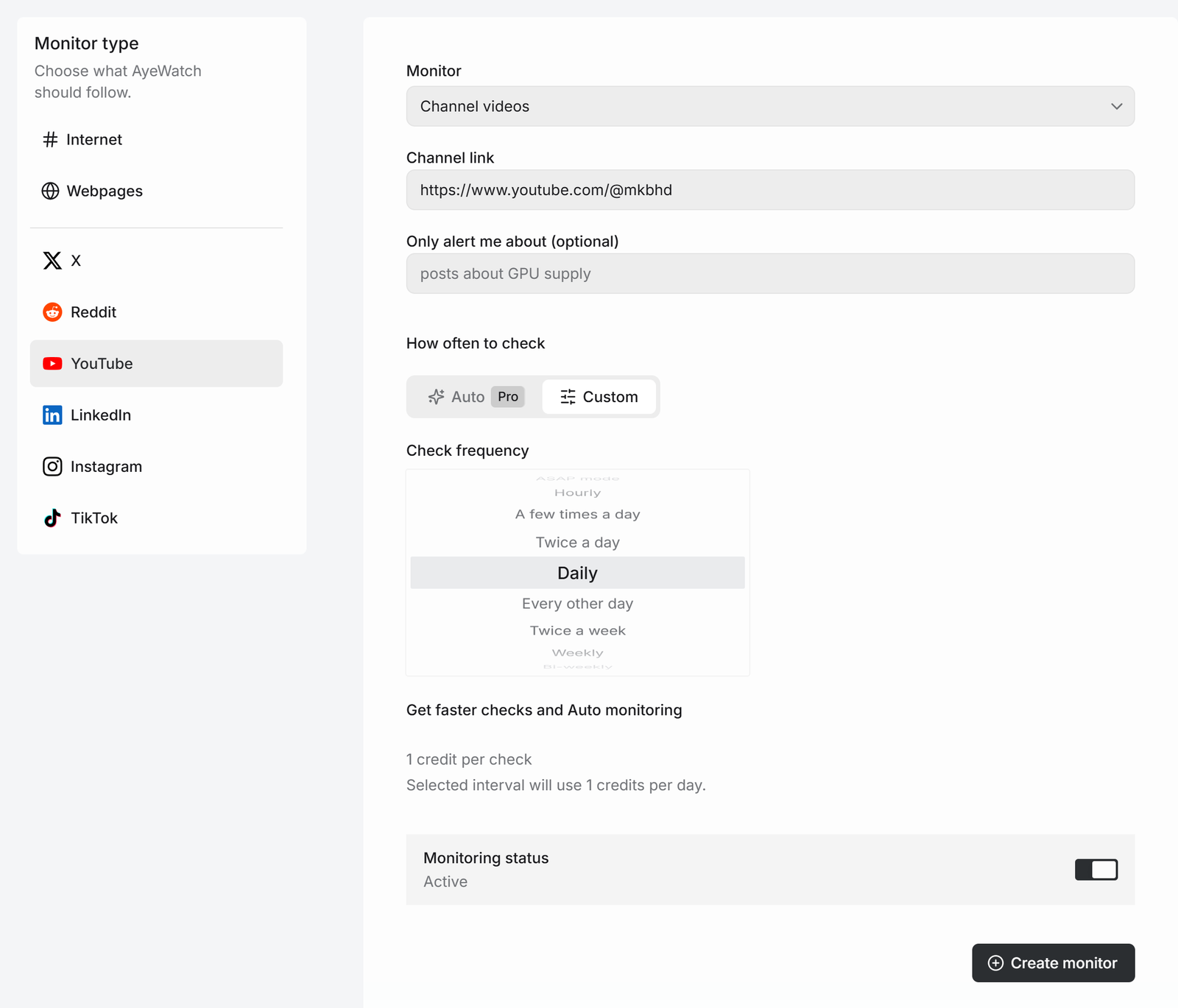
The same menu has Shorts, Community posts and Live streams, 2 credits each. For streams, see YouTube live notifications.
What you get
The first check saves the current posts as a starting point, so you are not flooded with old ones. After that, every check that finds something new sends one alert. The headline is the post itself, or "3 new from …" when several land at once, with a link to each post and its text.
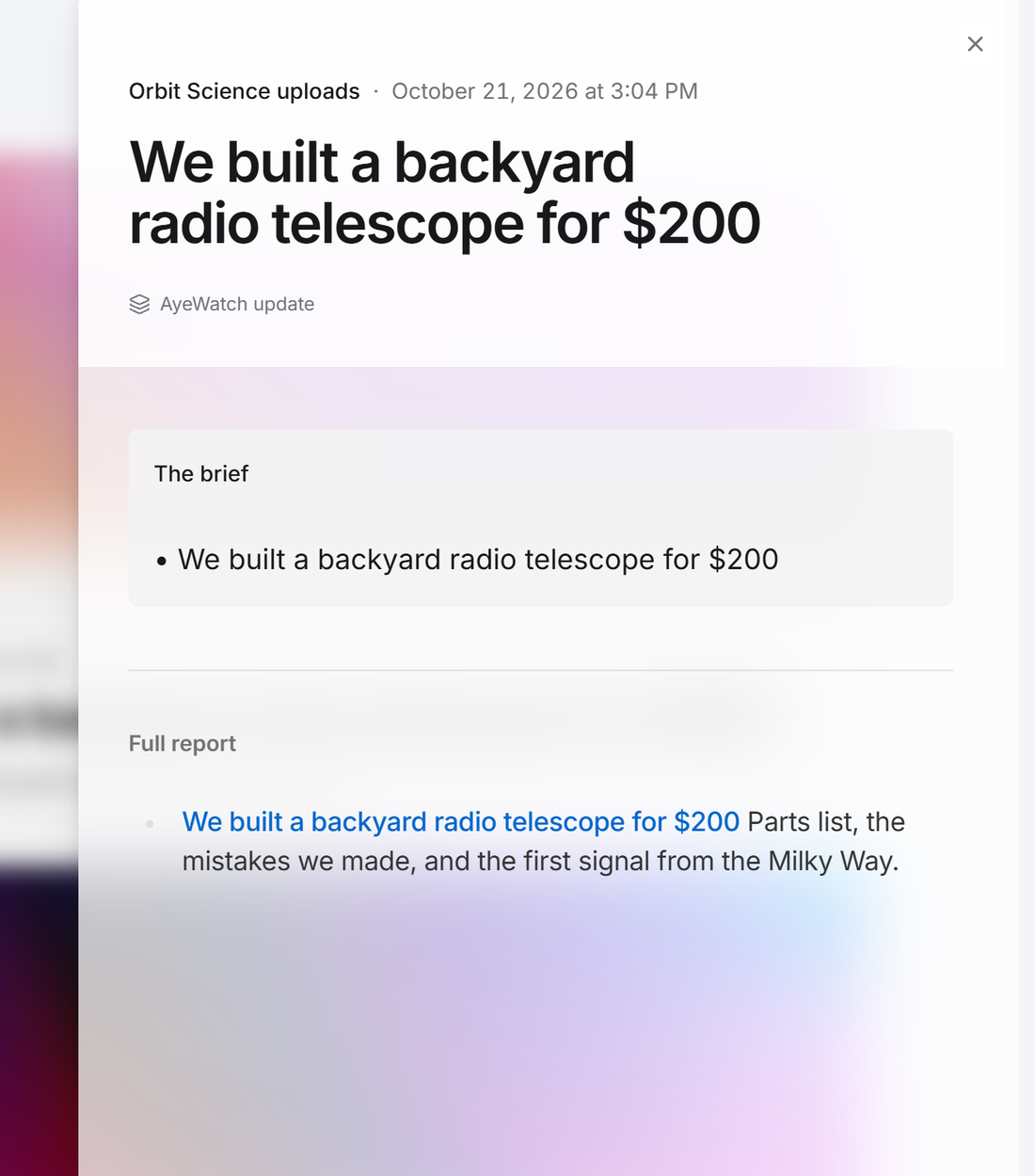
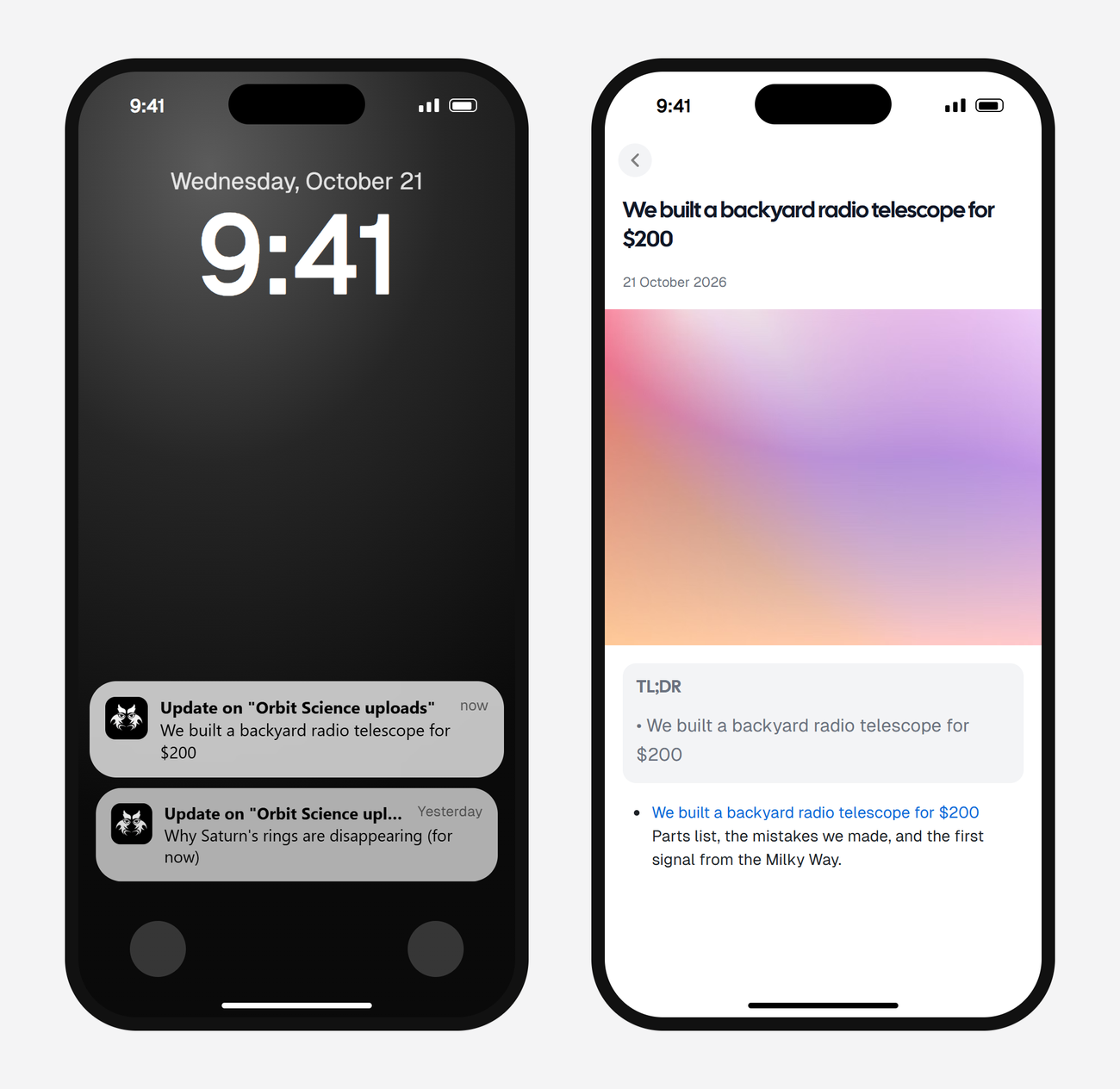
Alerts land in your feed and as push in the AyeWatch iOS and Android app. On Pro and Pro+ you can also turn on email, Slack, or a webhook.
Get new video alerts from a channel
Free Preview includes 3 credits to try it. No card.
Set it up nowWhat it costs
A Channel videos check uses 1 credit. A daily check is about 30 credits a month, and a few checks a day is about 120.
Plans: Free Preview gives you 3 credits to try a monitor on a daily check. Pro is $9 a month for 500 credits and checks as often as hourly. Pro+ is $19 a month for 1,500 credits and adds ASAP mode. Failed checks are refunded, and the form shows the exact daily credit use before you save.
To get alerts for new videos about a topic from any channel, see YouTube keyword alerts.
FAQ
How do I get an email when a YouTube channel uploads?
Create a Channel videos monitor in AyeWatch and turn on email notifications. Email is on Pro and Pro+. Free Preview delivers to the feed and the mobile app.
Why are my YouTube notifications not working?
Most often the bell is on Personalized instead of All, or the YouTube app's notifications are off on your phone. Even with both set, YouTube can skip uploads.
Can I get alerts for Shorts only?
Yes. Pick Shorts in the Monitor menu. It costs 2 credits a check.