6 Best Browse AI Alternatives in 2026
The 6 best Browse AI alternatives in 2026, for scraping or for change alerts. AyeWatch, Apify, Hexowatch, Distill and more, compared on price.
By AyeWatch Team8 min read
Browse AI trains no-code robots to pull structured data from websites, and change alerts come as a side effect of re-running them. People who wanted a notification, not a spreadsheet, end up paying credits for extraction they never use, and robots need retraining when a page layout shifts.
Below are six tools. Some are better scrapers; others, like AyeWatch, only tell you when something meaningful changed.
Quick comparison: best Browse AI alternatives
| Product | Best for | Starting price | Key difference | Review |
|---|---|---|---|---|
| AyeWatch | Change alerts on pages, topics and social media, no scraping | $9/mo, 7-day free trial | Alerts with summaries, no robots to train | Read |
| Apify | Scheduled scraping with ready-made Actors | $19/mo | Ready-made scrapers, API and scheduling | Read |
| Hexowatch | Many monitor types plus page archiving | About $29/mo | Page monitoring plus field extraction | Read |
| Distill | Element-level checks run from your browser | $15/mo | Element conditions, free local checks | Read |
| changedetection.io | Self-hosters who want open-source control | $8.99/mo hosted | Self-host for free, full control | Read |
| Visualping | Simple visual page alerts for non-technical users | $14/mo ($10/mo billed annually) | Screenshot diffs with AI change summaries | Read |
Starting prices are the lowest paid plan listed on each vendor's site, checked October 2026.
Best for change alerts
1. AyeWatch
AyeWatch is an AI internet monitor. Paste a URL, describe a topic in plain English or monitor social media, and it alerts you with a short summary when something matching your rule changes. It is not a scraper and does not export rows.
Best for: Change alerts on pages, topics and social media, no scraping.
- No robot training. Write the rule as a sentence instead of teaching a robot where fields are.
- Summaries, not rows. Each alert says what changed in a sentence or two.
- Topics as well as pages. Cover news and discussion across many sources.
- Slack, webhooks and a REST API on paid plans, plus push, email and Discord, with native iOS and Android apps.
Pricing: Every plan starts with a 7-day free trial. Pro is $9/mo with hourly monitoring. Pro+ is $19/mo and unlocks ASAP mode.
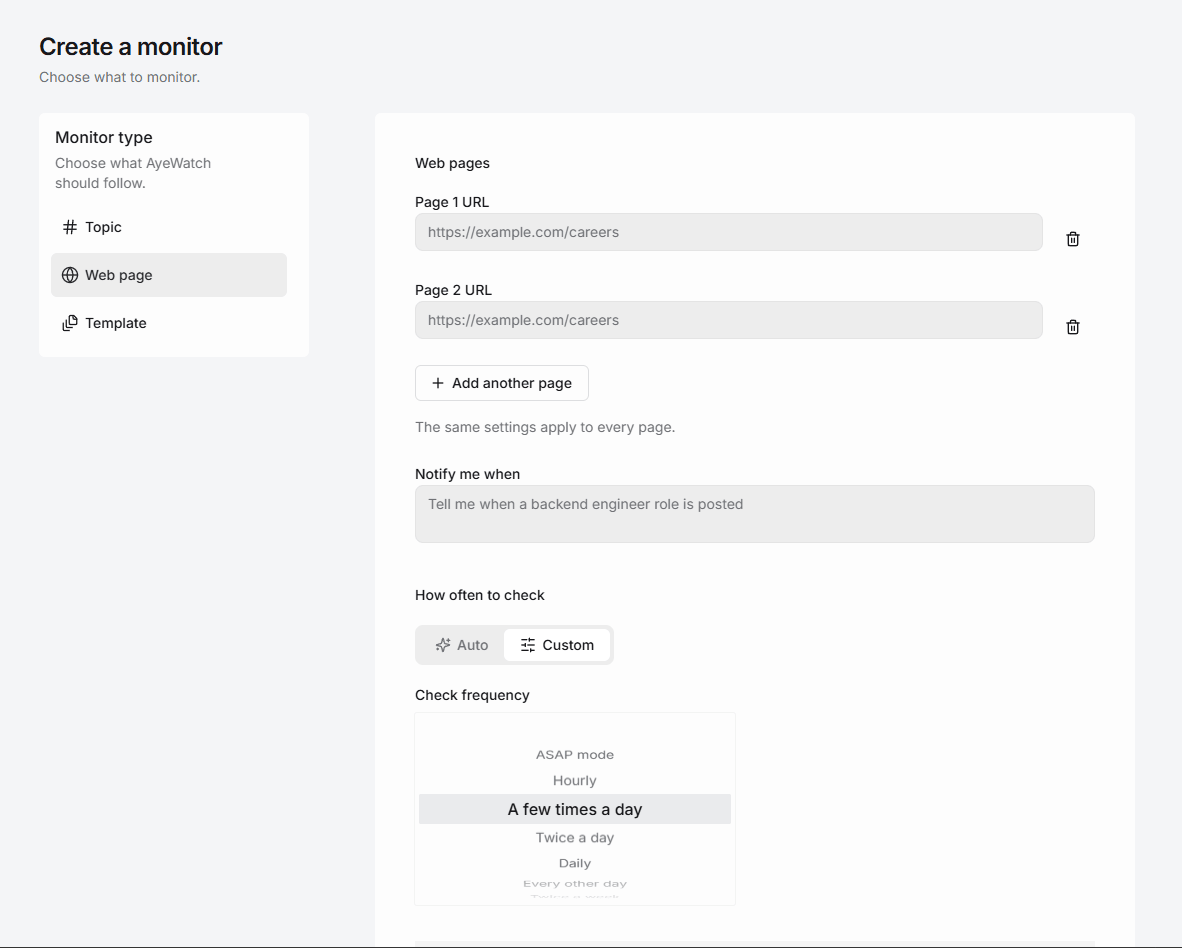
Try AyeWatch as your Browse AI alternative
Describe a topic, paste a URL or monitor social media. Try it free for 7 days.
Start free trial →Why teams choose AyeWatch
- Nothing to retrain. A plain-English rule does not depend on field positions, so a redesign does not break it.
- Published plans. Pro is $9/mo for up to 50 monitors; Pro+ is $19/mo for up to 200.
- Built for people. Alerts arrive as push notifications in native iOS and Android apps.
Monitor: "Careers page at https://example.com/jobs"
Rule: "Alert me when a new senior backend or data engineering role is posted."
AyeWatch vs Browse AI
| Feature | AyeWatch | Browse AI |
|---|---|---|
| Starting price | $9/mo, 7-day free trial | $19/mo (billed annually) |
| Output | Alert with a summary | Structured data rows |
| Setup | Plain-English rule | Train a robot |
| Topics across the web | Yes | No |
| Export to Sheets | No | Yes |
| Pricing model | Flat monthly plans | Credit-based |
When Browse AI is still the better pick: If you need structured listings in Google Sheets or Airtable, such as every product, price and rating on a page, Browse AI does that and AyeWatch does not. AyeWatch will not replace a data pipeline.
Full feature table: AyeWatch vs Browse AI.
Best for large-scale scraping
2. Apify
Apify is a scraping and automation platform whose Store hosts ready-made scrapers, called Actors, for X and many other sites. Many Actors charge per result on top of the plan.
Best for: Scheduled scraping with ready-made Actors.
Strengths
- Free plan with monthly usage credit
- Many scrapers to choose from
- Scheduling, API and integrations
Weaknesses
- Total cost depends on the Actor and volume
- Third-party scrapers break when sites change
- Needs some technical setup
Pricing: $19/mo (Free plan ($5 monthly usage)).
Pick it if you want flexible scraping you control and can handle occasional breakage.
3. Hexowatch
Hexowatch monitors and archives websites with visual, HTML, text, keyword and sitemap monitors, and can extract selected fields.
Best for: Many monitor types plus page archiving.
Strengths
- Many monitor types
- Page archiving and change history
- API and webhooks on higher tiers
Weaknesses
- Pricier than most page monitors
- Visual and HTML checks fire on layout churn
- Only covers pages you add
Pricing: About $29/mo (Free trial).
Pick it if you need broad monitor types plus archiving.
Best free alternative
4. Distill
Distill monitors pages from a browser extension or its cloud, with condition-based alerts on the page elements you select.
Best for: Element-level checks run from your browser.
Strengths
- Generous free plan
- Fine-grained element selection and conditions
- Local checks are free
Weaknesses
- Local monitors need your browser open
- Free cloud checks run every 6 hours
- Setup is more technical than most
Pricing: $15/mo (Free plan (25 monitors)).
Pick it if you want element-level conditions and cheap local checks.
Best open-source option
5. changedetection.io
changedetection.io is an open-source page change detector you can host yourself, or rent hosted with a real Chrome browser. It supports CSS and XPath targeting and browser steps for logins.
Best for: Self-hosters who want open-source control.
Strengths
- Free and open source to self-host
- Browser steps for logins and clicks
- 85+ notification channels
Weaknesses
- Self-hosting means you maintain it
- Text and selector rules, not meaning
- Utilitarian interface
Pricing: $8.99/mo hosted (Free to self-host).
Pick it if you want full control, or a cheap hosted option.
6. Visualping
Visualping checks pages on a schedule and alerts you to visual, text or element changes, with AI change summaries.
Best for: Simple visual page alerts for non-technical users.
Strengths
- Free plan includes AI summaries
- Visual, text and element comparison
- Slack, Teams and Sheets integrations
Weaknesses
- Check-based pricing climbs quickly with volume
- Free plan checks hourly at best
- Slack and Teams need Business plans
Pricing: $14/mo ($10/mo billed annually) (Free plan (5 pages)).
Pick it if you want a polished, mainstream tool with visual diffs and a usable free tier.
FAQ
What is the best Browse AI alternative?
For scraping at scale, Apify. For monitoring plus some field extraction, Hexowatch. If you only wanted to know when a page changed, AyeWatch.
Is there a free Browse AI alternative?
Yes. Apify has a free plan with a monthly usage credit, Distill has a free plan, changedetection.io is free to self-host, and AyeWatch has a 7-day free trial.
Can AyeWatch scrape product catalogs?
No. Use a scraper such as Browse AI or Apify for that. Use AyeWatch to know when a catalog page changed in a way you care about.
How do I switch from Browse AI to AyeWatch?
For each robot you only used for alerts, paste the page into a webpage monitor and describe the change in plain English. Keep Browse AI for robots that feed a spreadsheet.
Which tool is right for you?
- You wanted change alerts, not a spreadsheet: AyeWatch.
- You need scraping at scale with an API: Apify.
- You want monitoring plus some field extraction: Hexowatch.
- You want free element-level checks: Distill.
- You need no-code structured data in Sheets: Browse AI.
Monitor what matters without the noise
Set up your first monitor in under a minute. Try it free for 7 days.
Get started today →